

Setting up the curfew
Step 1: Block the entire computer
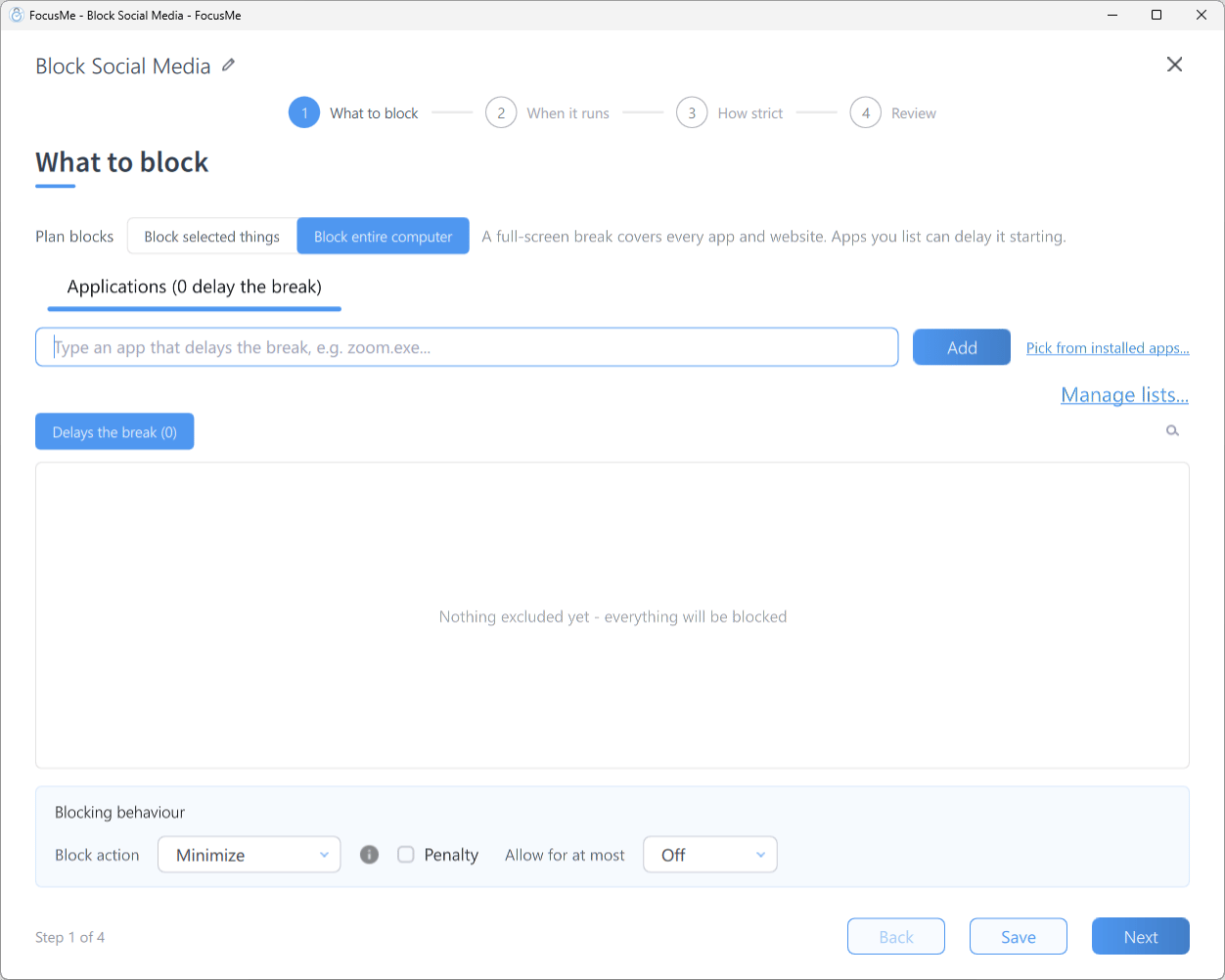
What to block with Plan blocks set to Block entire computer
- Click Add a Plan and name it, for example Night Curfew
- On What to block, set Plan blocks to Block entire computer
Step 2: Draw the evening block
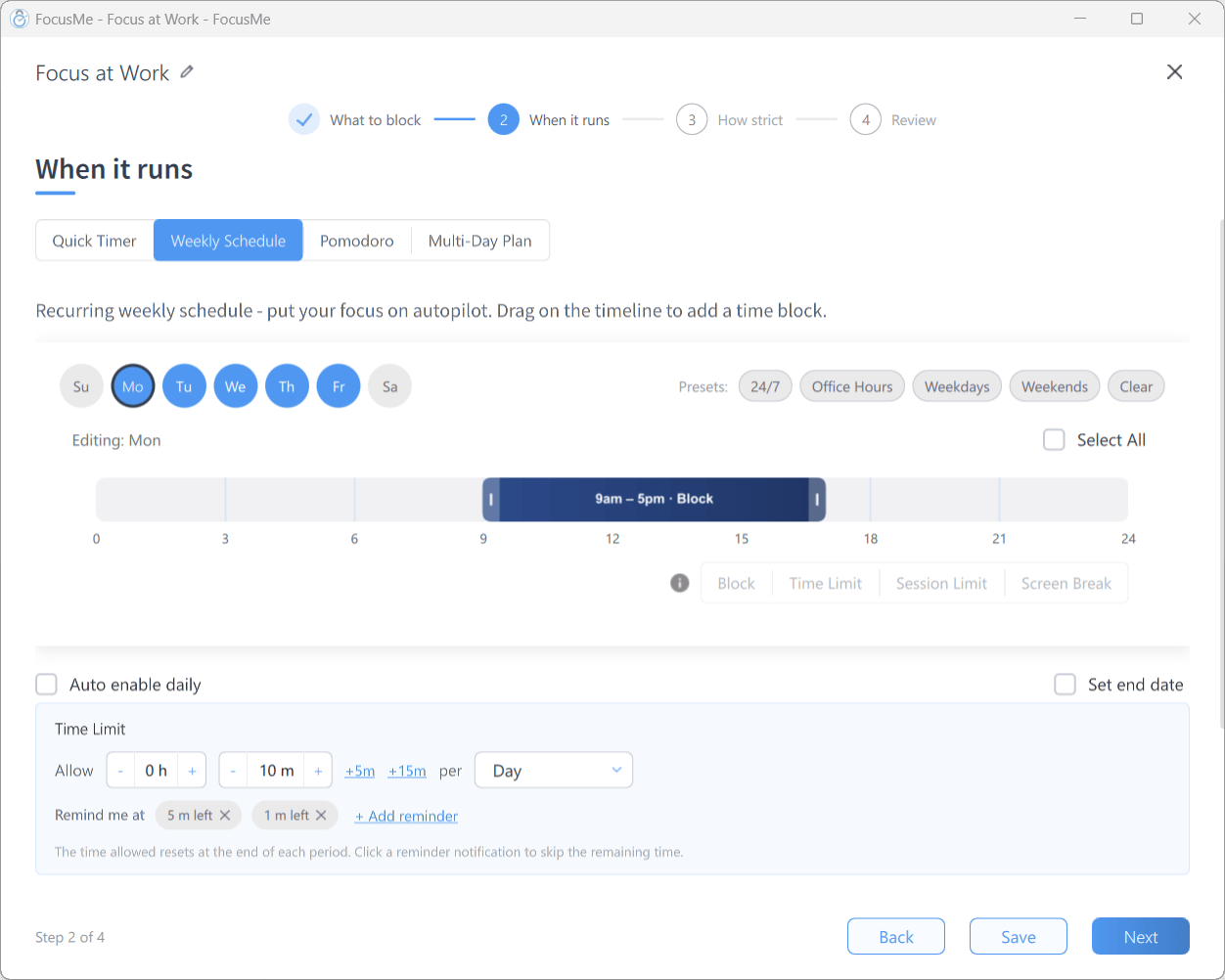
Step 2 When it runs with Weekly Schedule
- On When it runs, choose Weekly Schedule
- Click Select All so every day is selected
- Drag on the timeline from 22:30 to the end of the day
- Drag a second block from the start of the day to 06:00
Step 3: Lock it
On How strict, choose Lock it Down. Stopping takes 25 random characters typed perfectly, then a 10 minute wait, long enough for the “just one more thing” urge to pass. If you want no way out at all, click Customize and set Stop the plan to Enforced. The plan then cannot be stopped from FocusMe before 06:00; only an approved Assisted Stop request ends it early.Step 4: Review and enable
Check the rows on Review, then click Create & Enable.Tips
- Get a warning first. On Review, open Options and tick Soon Starting under Notifications so FocusMe warns you before the curfew starts and you can save your work.
- Keep the plan honest. Tick Auto enable daily under the timeline so a plan you stopped one evening is back the next.
- Test on Unlocked first. Run the curfew for a night with Unlocked protection to confirm the hours are right before you raise it.
- Leave your phone in another room. FocusMe locks the computer; the phone is up to you.