

Open the Plan Library
- Open the Plans tab
- Click Plan Library in the toolbar (or the Plan Library card if you have no plans yet)
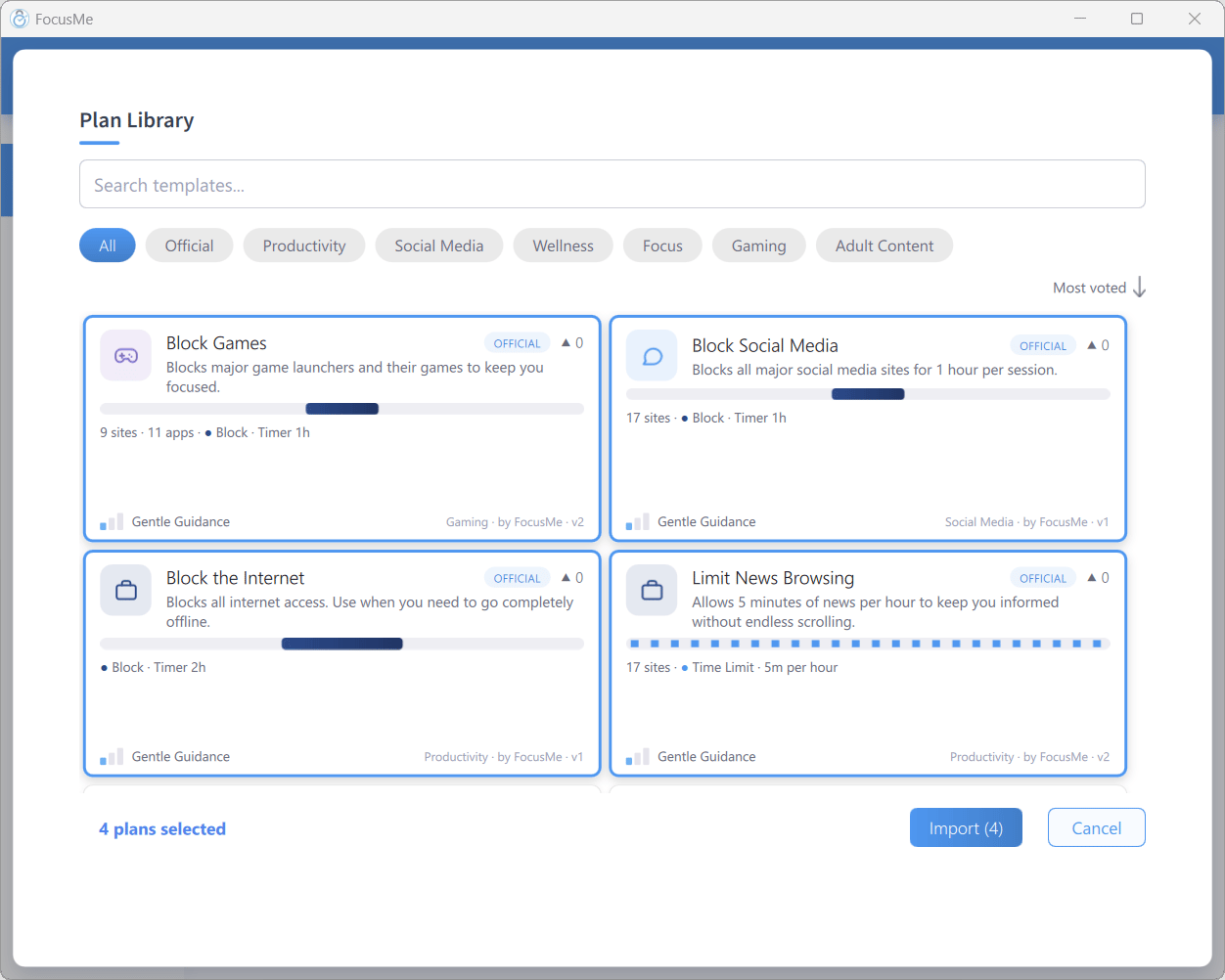
The Plan Library
Browse
The library is a grid of template cards. Each card shows:- The plan name, with an OFFICIAL badge on plans made by the FocusMe team
- A vote count — click the arrow to vote for a plan you like
- A short description
- A summary line such as
9 sites · 11 apps · • Block · Timer 1h - The protection tier, e.g. Gentle Guidance
- The category and author, e.g.
Gaming · by FocusMe
- Type in Search templates…
- Click a category chip: All, Official, Productivity, Social Media, Wellness, Focus, Gaming, or Adult Content
- Change the sort: Most voted, Most imported, Newest, or A-Z
Import a Template
- Click one or more cards to select them — the footer counts
N plans selected - Click Import (N)
- The plans appear in your Plans list, switched off
- Review them (single-click a row to open its drawer) and click the play button or right-click → Start when you’re ready
Official templates import exactly as designed, including strict presets such as Lock it Down. Community templates are softened on import — Enforced challenges, perfect-entry requirements, and passwords are removed — so a stranger’s plan can never lock you out of your own computer.
Submit Your Own Plan
You can share a plan with the community:- Log in to your FocusMe account
- Give the plan a description (open it with Edit, then Review → Options → Description) — the library needs one
- Right-click the plan → Submit to Library, or click Submit your plan in the library footer and choose a plan
- In the Submit Plan to Library dialog, choose a display name (at least 3 characters, shown on all your templates) and a Category: — Productivity, Social Media, Wellness, Focus, Gaming, Adult Content, or Other
- Click Submit
Only the plan configuration is shared — never your activity data, usage, or account details.