

Update Settings
Everything to do with updates lives in Settings → General → Update settings.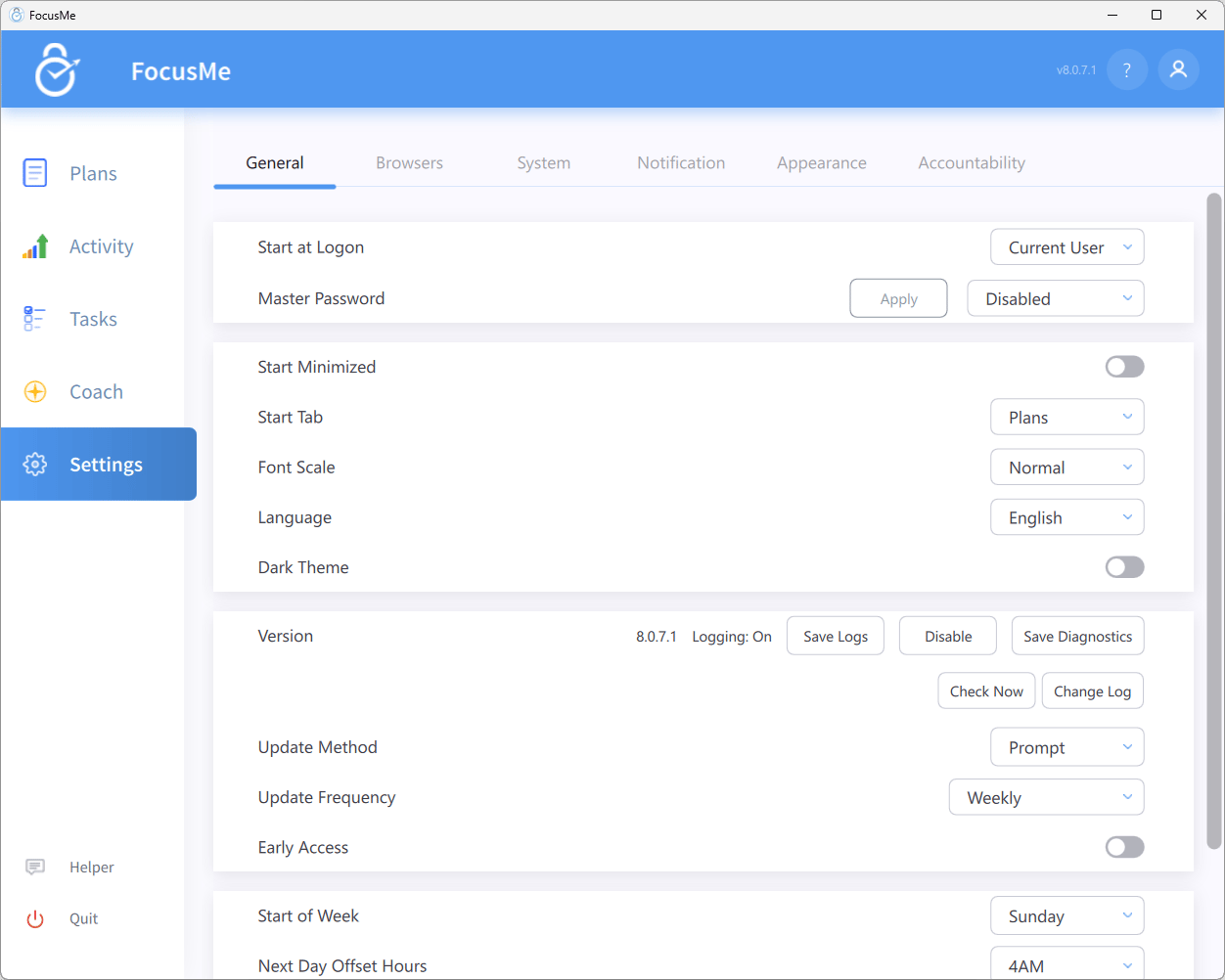
Settings → General, including the Update settings panel
When an Update Is Available
With Update Method set to Prompt, FocusMe shows a window titled FocusMe x.y.z is ready: Installs in about a minute; running plans carry on. Below it, What is new in x.y.z lists the changes; scroll it to read them all.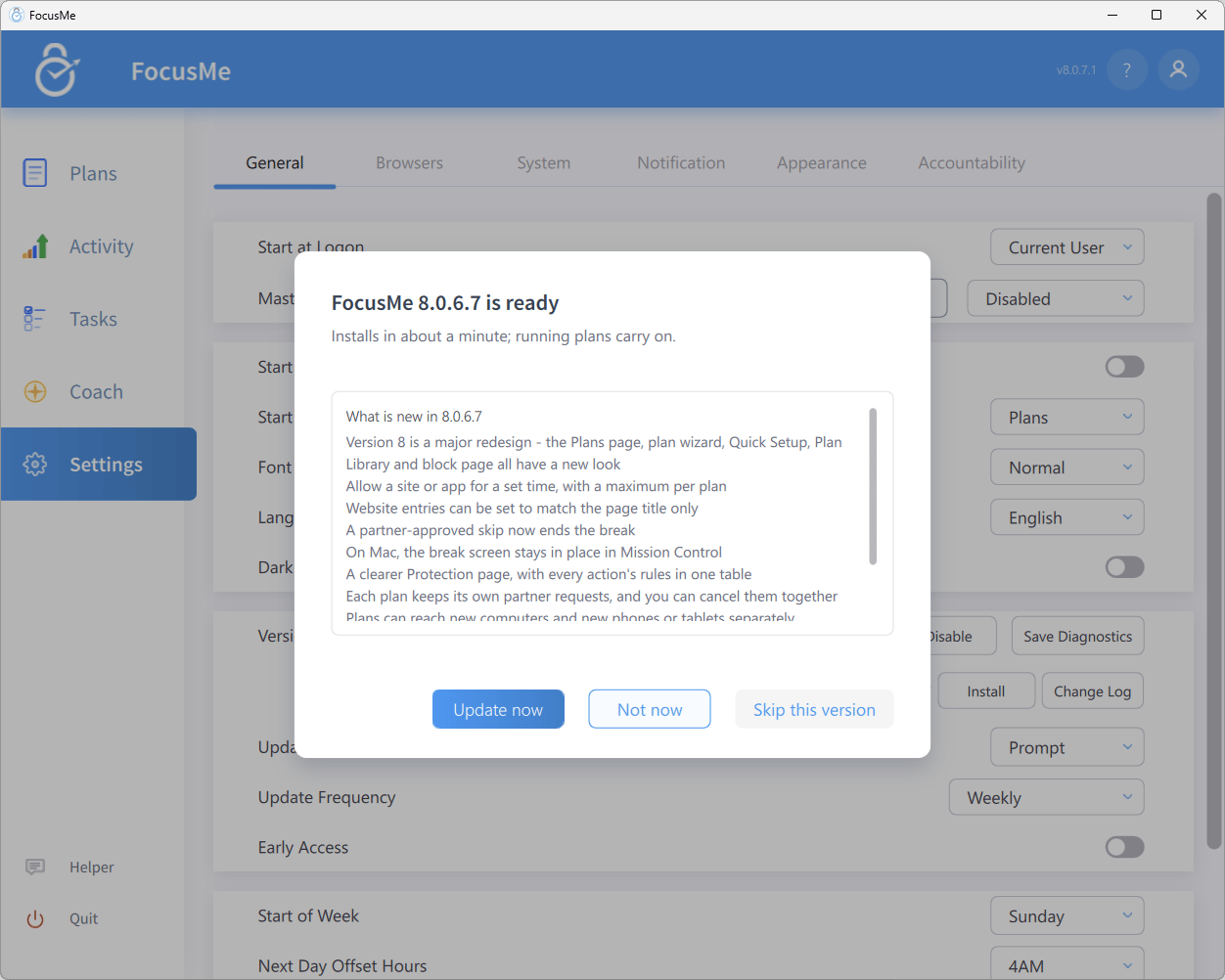
The update window
- Update now downloads and installs the update. FocusMe restarts into the new version with your plans in the same state.
- Not now dismisses the window; you will be reminded again according to your Update Frequency.
- Skip this version silences reminders for this particular version. You will still be told about the next one.
Administrator installs on Windows
When FocusMe was installed by an administrator and you use a standard Windows account, updates are installed for you in the background and the update row in Settings → General says Updates are installed automatically by the protection service. Check Now then asks for the update straight away and the row reports the result, such as Installing x.y.z - the app will restart in a few minutes or Up to date (x.y.z). If that is not possible on your computer, the row says an administrator needs to install the update, and installing it asks for an administrator’s approval.Updates and Running Plans
- Upgrading while plans run is allowed. The installer stops the app, replaces the files and starts it again; your plans continue enforcing when it comes back.
- Downgrading while plans run is not. If you run an older installer on top of a newer version while plans are enabled, the Windows installer stops with A newer version of FocusMe is already installed. Installing an older version is not possible while plans are running. With no plans running it asks you to confirm the downgrade instead.
- On Windows the installer skips the licence-agreement page when it is upgrading an existing installation, so an update needs no clicks beyond the User Account Control prompt.
macOS
Updates are delivered as a PKG. FocusMe installs it silently when it can; if that is not possible on your Mac, the installer opens and asks for your administrator password. With Automatic updates FocusMe waits until you are at the computer before launching the installer so that the password prompt is not missed.Linux
The update is applied by the installer, which manages the background service itself and restarts FocusMe afterwards.Diagnostics and Logs
If support asks for diagnostics, the Version row has what you need:- Save Diagnostics collects logs and configuration details into a single archive (
FocusMeDiagnostic.dat, saved to your Desktop by default). The button reads Collecting… while it works. Attach the file to your support ticket. - Save Logs saves just the log files.