

Fastest route: the Plan Library
- Open the Plans tab and click Plan Library
- Find the official Block the Internet template and click Import
- Click Edit on the imported plan to add the sites you still need to its allow list (see below), then start it
Build it yourself
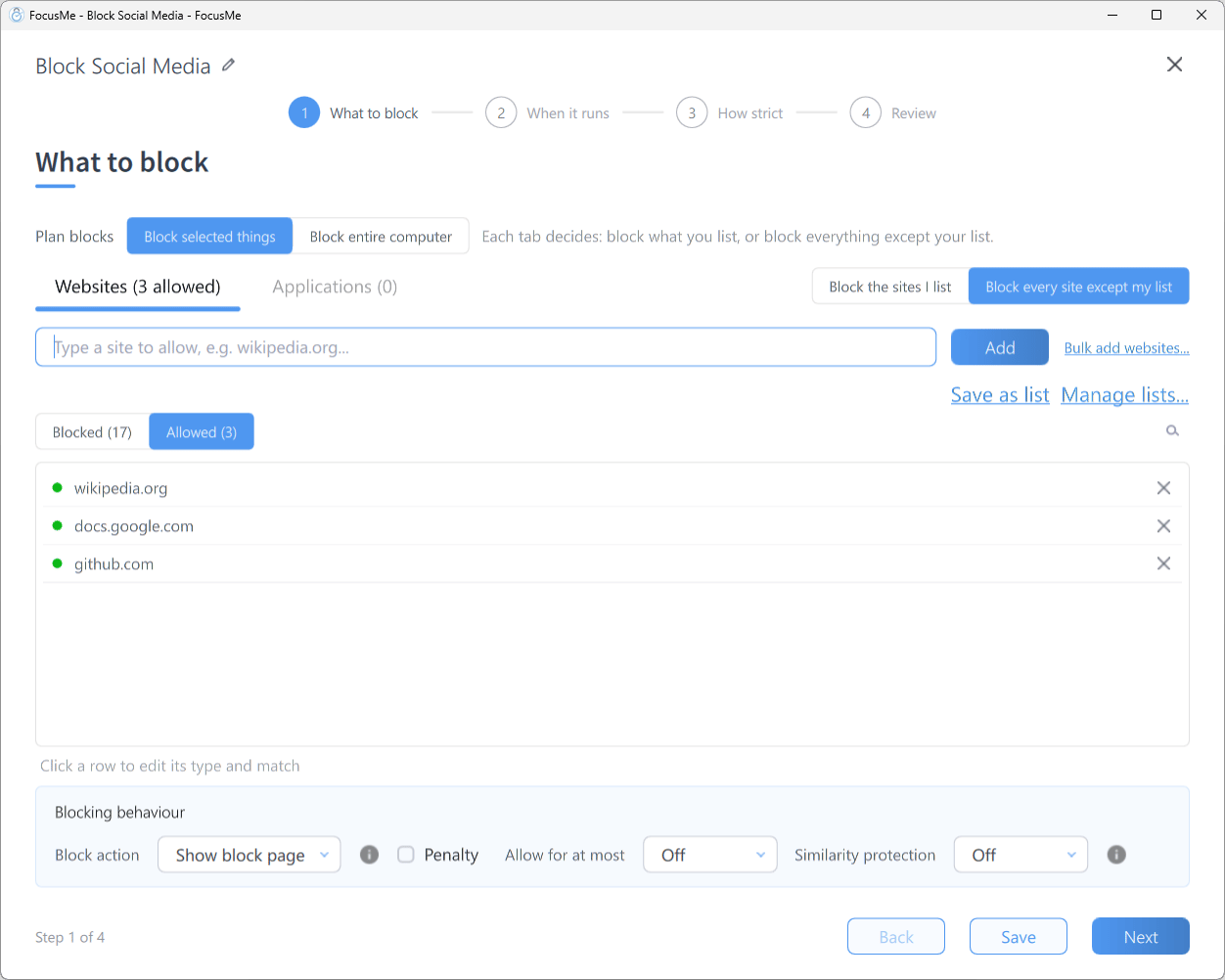
Step 1 What to block, where the switch beside the tabs blocks every site
- Click Add a Plan and name the plan
- On What to block, stay on the Websites tab and choose Block every site except my list in the switch beside the tabs
- The list switches to Allowed. Type each site you still need into the add row (Type a site to allow, e.g. wikipedia.org…) and click Add
- Click Next and choose a schedule on When it runs
- Click Next and choose a preset on How strict
- On Review, click Create & Enable
Choose how blocked sites are handled
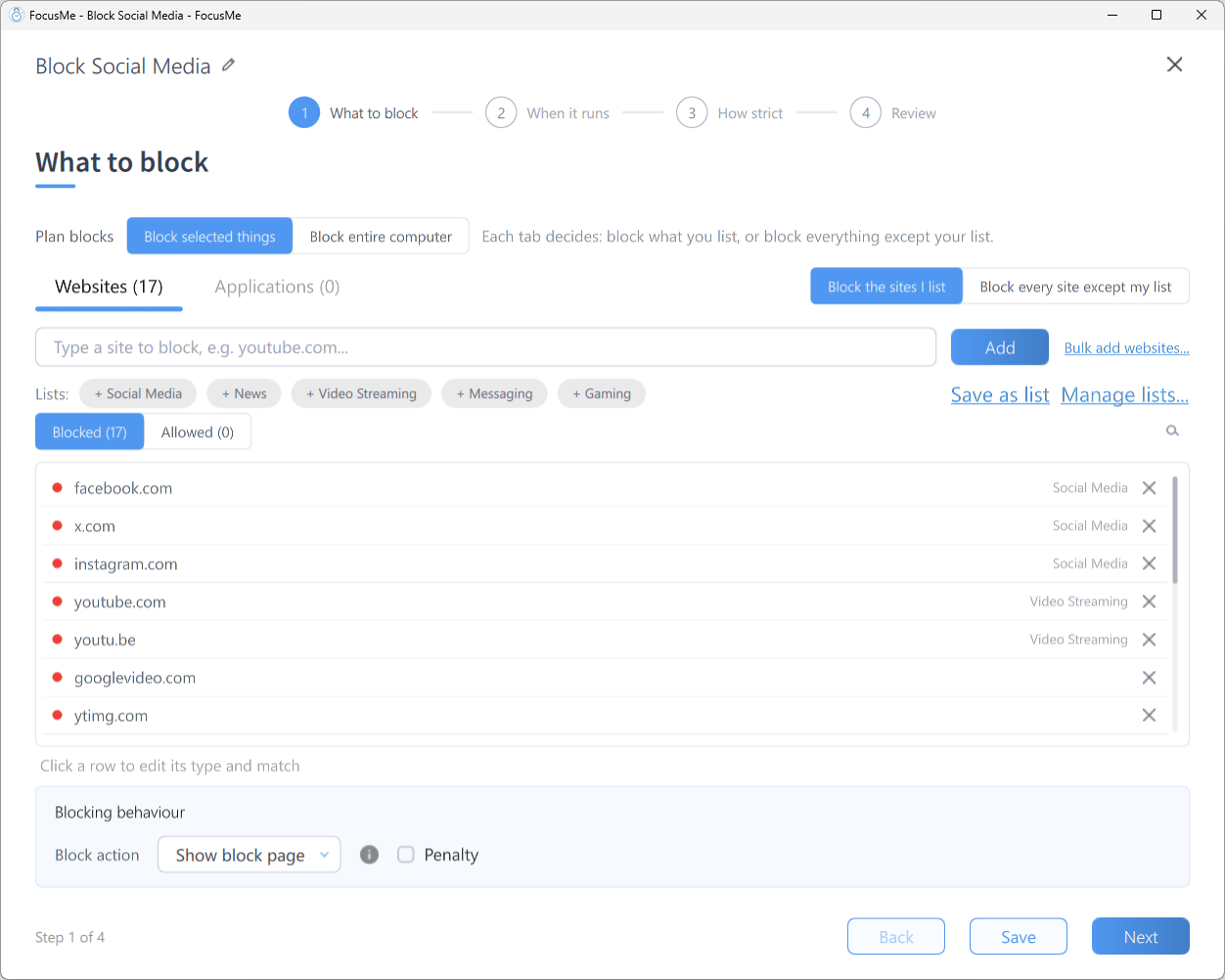
The Advanced expander with the Blocking behaviour panel
To block everything rather than only websites, choose Block entire computer under Plan blocks at the top of What to block. See Block Your PC at Night.
Tips
- Test before adding protection. Run the plan on Unlocked first to make sure the allow list covers everything you need, then raise the protection once you are confident.
- Allow list entries take priority. If a site is both blocked and allowed, the allow list wins. FocusMe tells you when an entry is already on the other list and offers Move to allow list or Move to block list.
- Similarity protection (in the Advanced panel) stops near copies of blocked sites from being waved through on the allow list. If a legitimate allow entry is rejected with a Blocked: message, lower the level.
- Pair with app blocking. Blocking every website does not stop desktop apps that use the internet (Spotify, email clients and so on). Add those on the Applications tab if needed.