

Setting up a Pomodoro plan
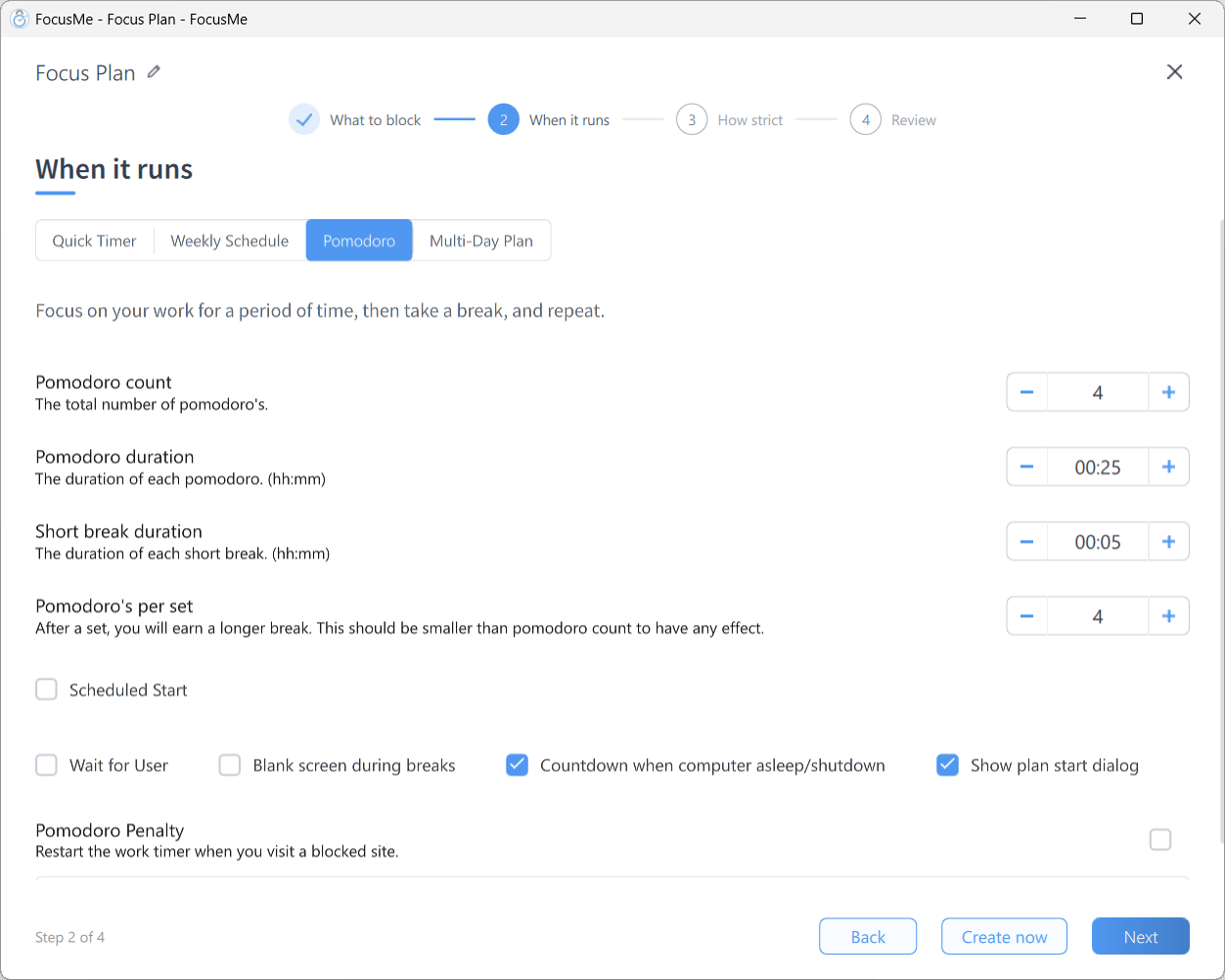
Step 2 When it runs with Pomodoro selected
- Click Add a Plan, name it and add the sites and apps to block on What to block
- On When it runs, choose Pomodoro in the segmented control
- Set the cycle:
- Choose the extra options you want:
- Scheduled Start with day pills, to start the run automatically at a set time on chosen days
- Wait for User — the next phase does not start until you are back: move the mouse, or click Start Focus / Start Break on the timer, so a sprint never starts while you are away
- Blank screen during breaks — blank the screen to make sure you step away
- Pomodoro Penalty — Restart the work timer when you visit a blocked site.
- Show plan start dialog — show the start dialog each time you press play
- Click Next, pick a How strict preset, then click Create & Enable on Review
Pomodoro plans always Block during focus periods; there is no rule mode to choose.
Starting a run
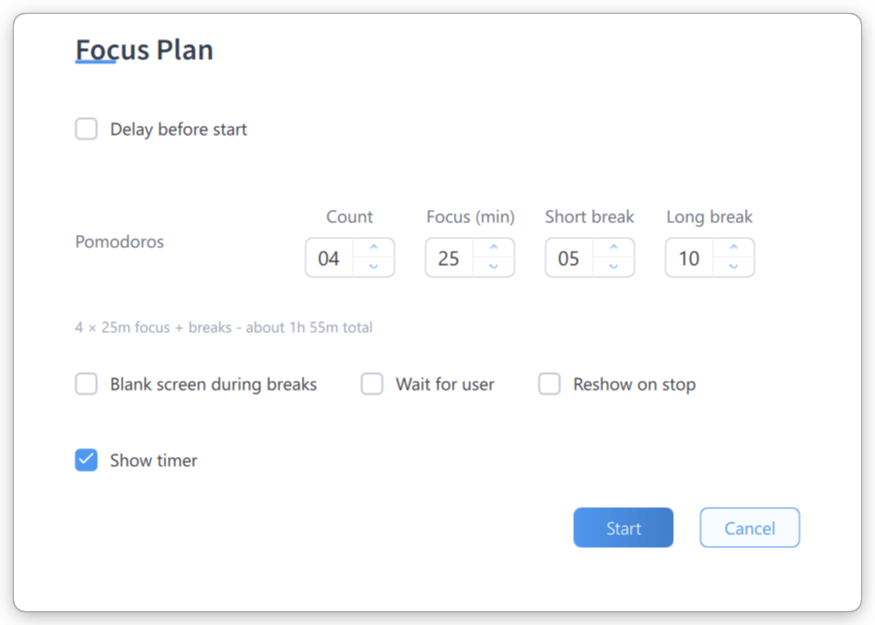
The Pomodoro start dialog
- Delay before start — hours and minutes before the first sprint begins
- Pomodoros — steppers for Count, Focus (min), Short break and Long break, with a live summary such as 4 × 25m focus + breaks - about 1h 55m total
- Blank screen during breaks, Wait for user, Reshow on stop (open this window again when the plan stops or ends, ready for the next one) and Show timer checkboxes
During the run
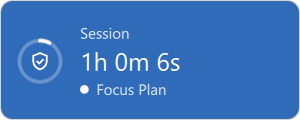
The floating timer window
- A sprint begins and your targets are blocked
- When it ends, the break starts and the targets are released. With Blank screen during breaks on, the break screen covers the display
- After the set number of sprints you get the long break
- The cycle repeats until the Pomodoro count is reached
Tips
- 25 minutes too short? Many people find 45- or 50-minute sprints better for deep work. Experiment.
- Use Screen Breaks for the physical part. Pomodoro releases your targets during breaks; a separate Screen Break plan forces you off the screen entirely.
- Do not check social media during breaks. Keep the blocked sites in a second, always-on plan if the temptation is strong.
- Enable Wait for User if you tend to wander off. The next sprint waits until you are back. It needs Blank screen during breaks.