

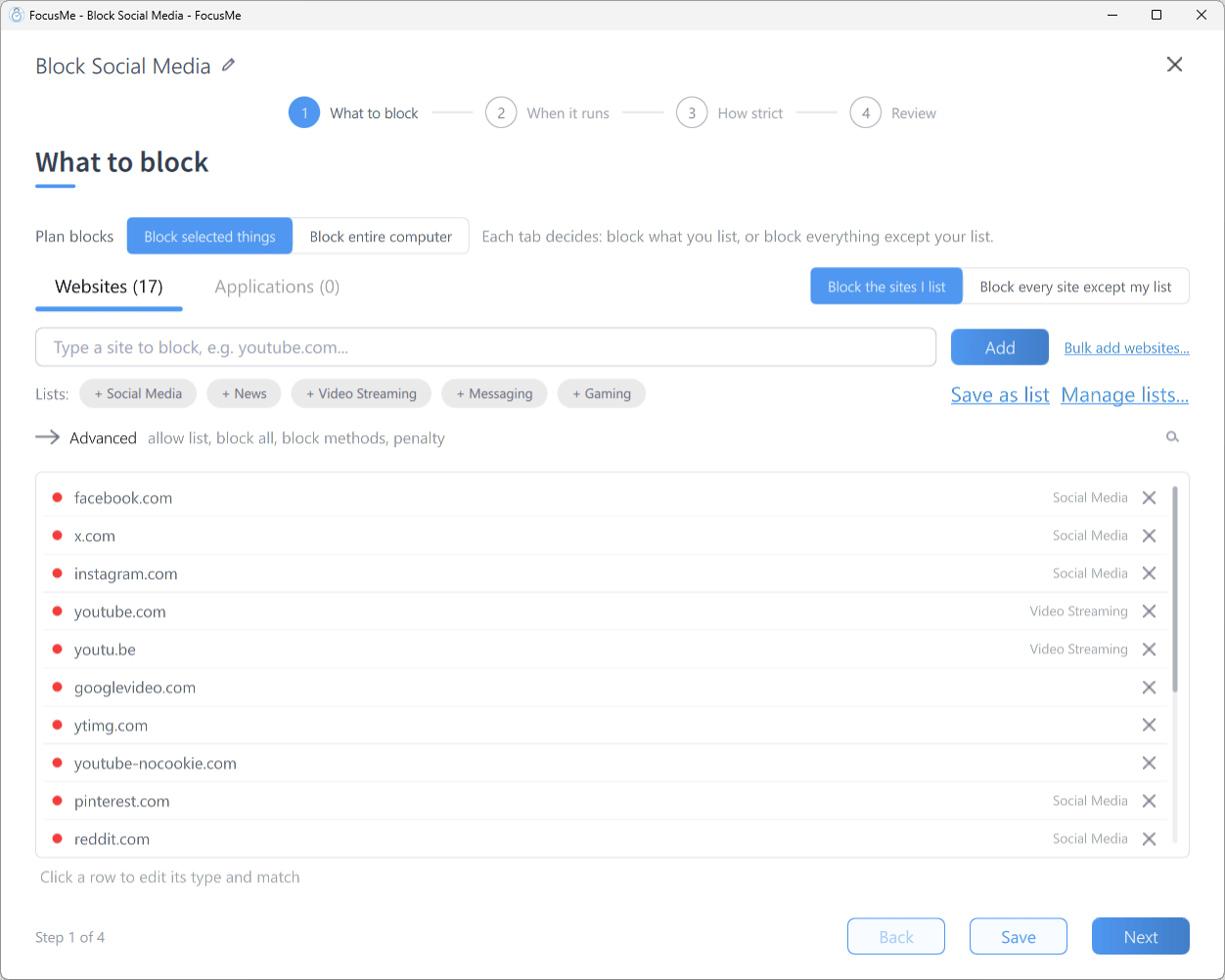
Step 1 What to block — the Websites tab with a few sites in the block list
Adding a Website
Type into the add row (Type a site to block, e.g. youtube.com…) and press Enter or click Add. The entry is added as a Website address with a Contains match. After two characters FocusMe suggests matching sites from your recent browsing; sites already in the list are marked Already added. If a site is already on the list you’ll see Duplicate target - this entry already exists in the list. If it’s on the other list, FocusMe tells you (Already on the allow list, which takes priority. or Already on the block list.) and offers Move to block list / Move to allow list.Bulk add websites
Click Bulk add websites… to open the website picker: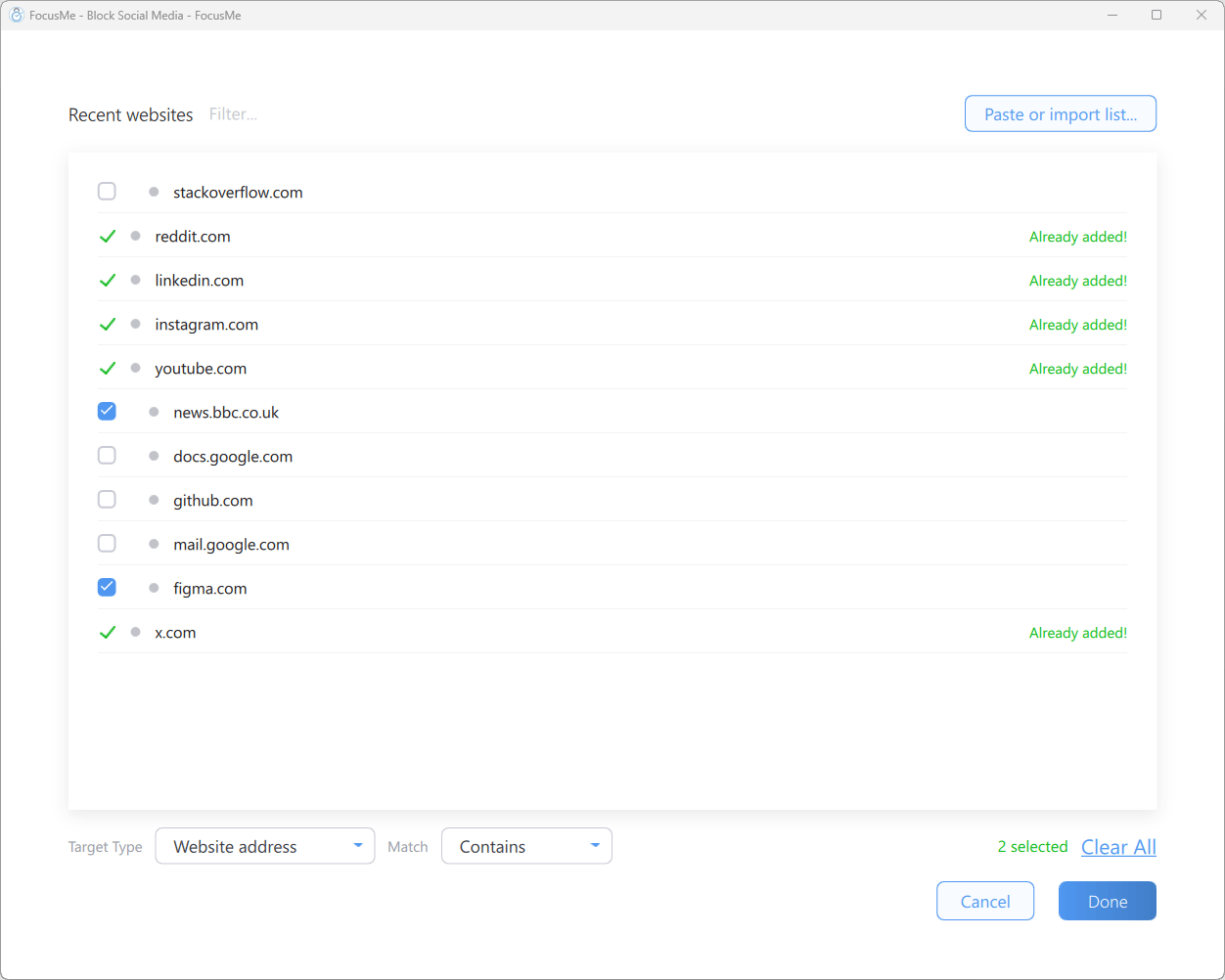
The Bulk add websites picker — Recent websites and Paste or import list
Choose a Target Type and Match for the selection, then click Done. A short word (fewer than five characters) or a number added as an Address or page title or Page title only entry starts on Whole Word, and the picker tells you so. The footer shows N selected and a Clear All link. Browser-internal pages (such as
about: or chrome:// URLs) are never offered.
Editing a Row
Click any row to open the inline editor (Click a row to edit its type and match), where you can change its type, its value and its match. A row that is not a plain Website address with Contains shows its type and match after the value, for exampleshorts · Address or page title · Whole Word.
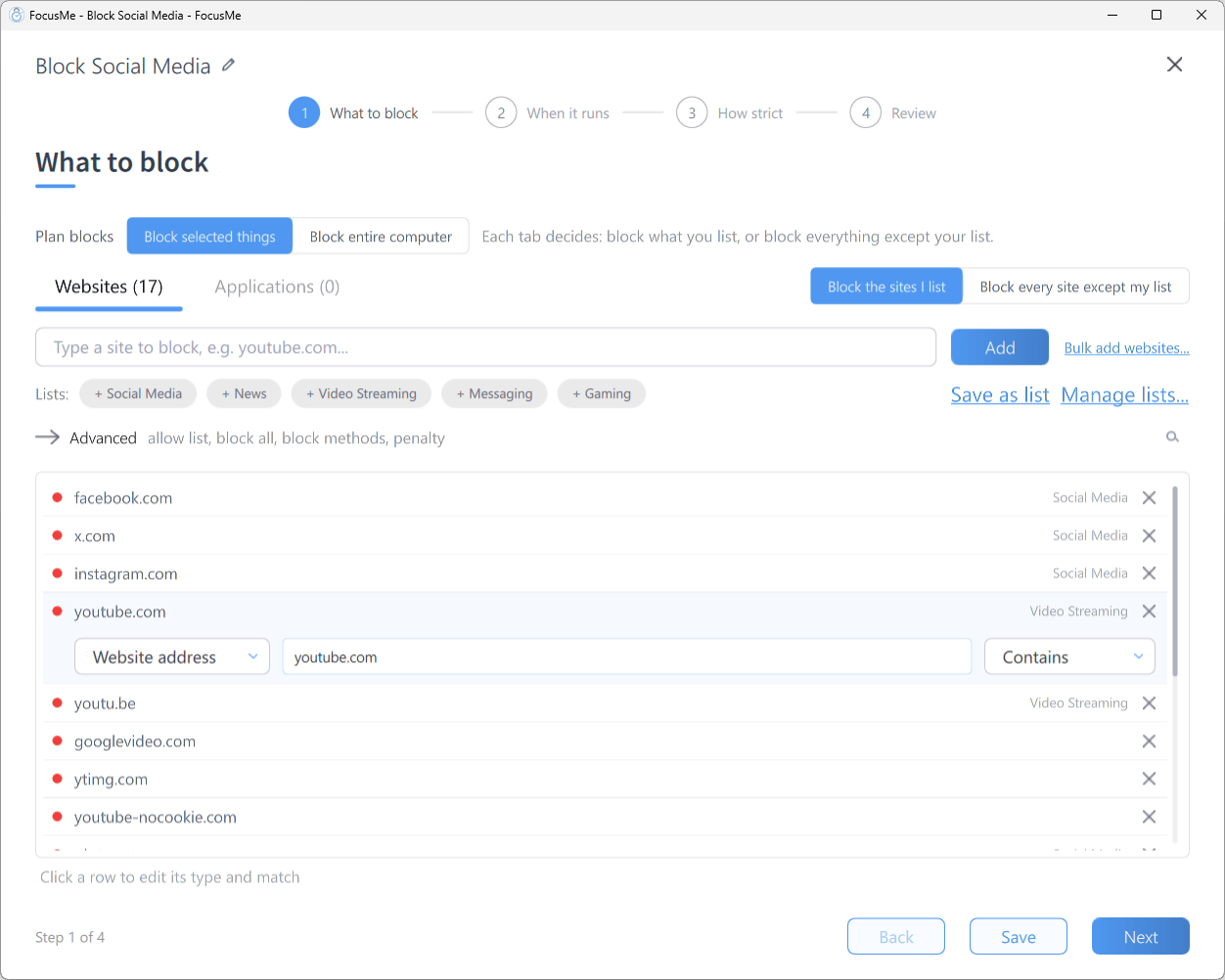
A row expanded into its inline editor: type, value and match
Target Types and Match Types
Each website entry has a target type and a match type.
Addresses are compared with
https://, a leading www. and any trailing / removed, so write entries without them.
With Contains, the type decides how wide an entry reaches. As a Website address,
game only blocks sites with “game” in their name, such as gamestop.com. As an Address or page title entry, game also blocks any page with “game” anywhere in its address or title, such as a search for “board game”. If a short word catches too much, switch its match to Whole Word. If you need a pattern that plain entries can’t express, use a Regex entry. See Regular Expressions.Partial Blocking
Add a path rather than a domain to block part of a site while allowing the rest:youtube.com/shorts— blocks Shorts but allows normal YouTube videosreddit.com/r/gaming— blocks one subreddit only, including every post in it
Image and Video Search
Tick Block image and video search on the Websites tab to block the Images and Videos results on Google, Bing, DuckDuckGo, Yahoo and other search engines, while normal search keeps working. It works with a block list and with Block every site except my list, and the Review step lists it under Blocks. On a running, protected plan it can be ticked but not unticked until the plan stops.Saved Lists
The Lists: row shows FocusMe’s ready-made lists (social media, news, adult content and so on) as chips. Click a chip to load its sites into the current list; click it again to unload them. If a list exists for both websites and applications, FocusMe asks whether to load it on the other tab too.- Save as list — saves the current targets as a reusable list of your own.
- Manage lists… — opens a menu with Save current targets as list…, Import list from file… and Restore defaults (resets the built-in lists to their original content; your own lists are untouched). Each list can also be edited, exported or deleted from here.
Allowed List and Blocking Everything
Beside the Websites and Applications tabs, a switch chooses between Block the sites I list and Block every site except my list.- Block every site except my list blocks the whole internet and allows only the sites on your allowed list. The list switches to Allowed, and the tab shows how many sites are allowed.
- Click Advanced (allow list, block all, block methods, penalty) to reveal the list switch and the blocking behaviour options. The segmented control switches between the Blocked list and the Allowed list, with the count on each segment. The blocked list takes the name of the rule mode where relevant, for example Limit List on a Time Limit interval. Anything on the allowed list takes priority over the blocked list.
- On the allowed list, a single word has to match a whole part of the site’s name:
wikipediaallowsen.wikipedia.orgbut notmywikipediacopy.com.
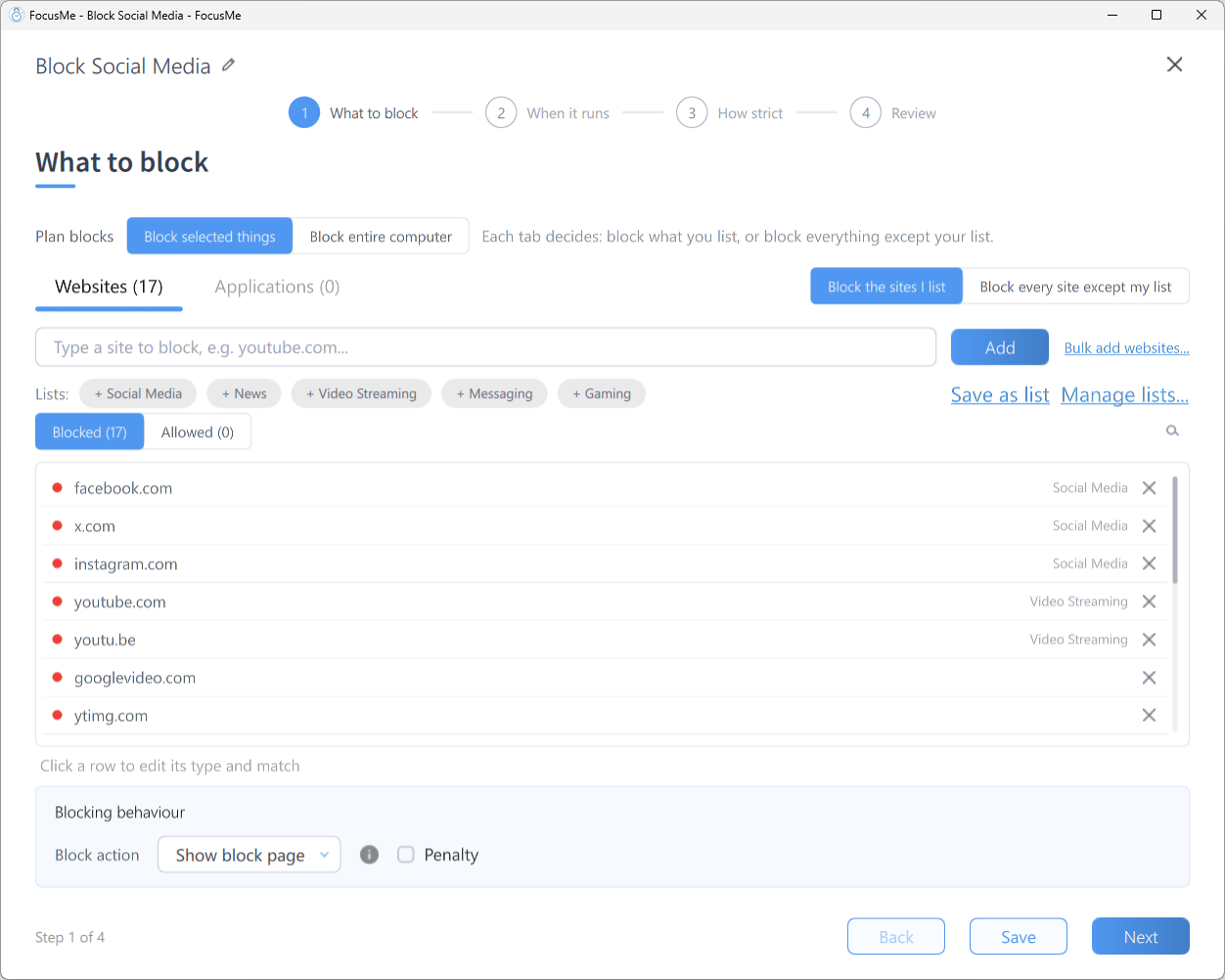
Step 1 with the Advanced expander open: the Blocked / Allowed switch and Blocking behaviour
docs.google.com, github.com and stackoverflow.com for a coding session.
When blocking every website, allow any sites you need for signing in (SSO providers, OAuth redirects) or you may lock yourself out of your work tools.
Similarity protection
When you’re viewing the allowed list, a Similarity protection setting (Off / Low / Medium / High) closes the allowed-list loophole: an allowed website must differ enough from every blocked entry, so near copies of blocked sites can’t be waved through. Low rejects only near duplicates of blocked entries, Medium still lets specific pages and single videos through, and High allows only long, very specific links. An allowed-list entry that would be caught by the block list is marked Blocked: and cannot be used.Allowing for a limited time
An allowed website can be temporary: it is removed on its own when its time is up, and shows until and the time in the list. Next to Similarity protection, Allow for at most sets the longest time an entry added while the plan runs may last. See Adding to a running plan.Blocking Behaviour
The Blocking behaviour panel (under Advanced) sets the Block action for websites — what happens when you open a blocked site:
The block page shown when you visit a blocked website
Browser Addon
Website blocking relies on the FocusMe browser addon, which reports the pages you open to the app and applies the block action inside the browser. Install it from Settings → Browsers — only browsers found on your computer are listed, and each button opens the correct install page. If a plan is running and a browser has no addon, FocusMe offers to install it for you. Addon Verification (also in Settings → Browsers) decides what happens when a browser is used without a working addon, from Off through Basic and Standard to Strict, which closes unverified browser tabs until the addon is installed. Learn more about the browser addon →Tips
- Start broad, add exceptions. It’s often easier to block every website and allow what you need than to chase each distracting site individually.
- Use a page title entry for stubborn sites. A site that hides behind mirrors, shorteners or embedded players is easier to catch by a word in its title, with Address or page title or Page title only.
- Combine with app blocking. If you block
youtube.combut have a YouTube desktop app installed, block that too — see Blocking Applications. - Use Regex for patterns. Regular Expressions let one entry cover many sites.