

Choosing the Regex Match Type
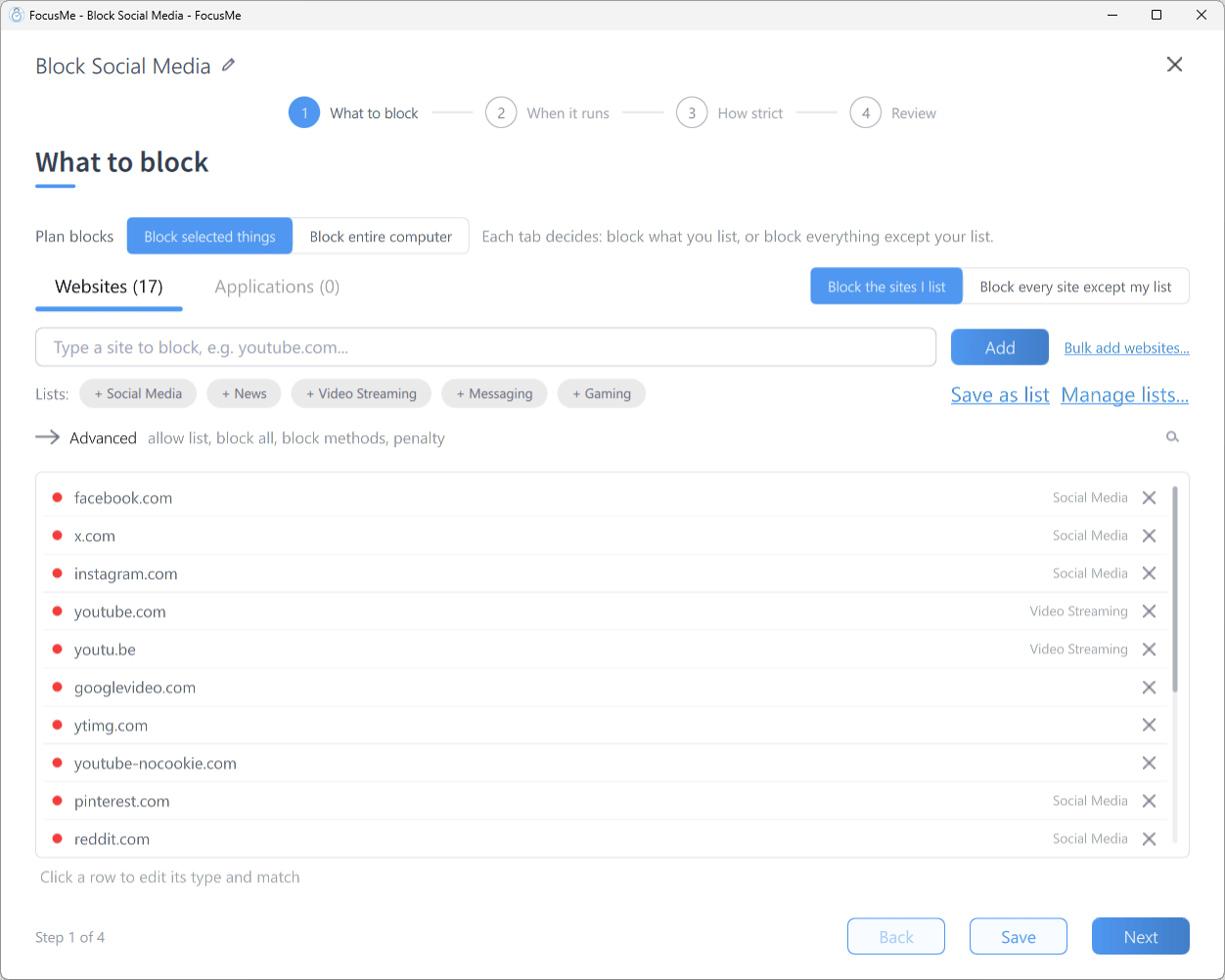
The What to block step: click a row to edit its type and match
- In the Plan Wizard’s What to block step, add your pattern with the add row (or click an existing entry)
- Click the row to open its inline editor — the hint reads Click a row to edit its type and match
- Set the match to Regex
- Check the type is what you want the pattern to run against (see below)
What the pattern is matched against
FocusMe’s RegEx matching is always case-insensitive — you don’t need to add
(?i) to your patterns.How a website address is matched
Your pattern is never tested against the address exactly as the browser shows it. FocusMe first removeshttps:// or http://, removes a leading www. and removes any trailing /, then searches for your pattern anywhere in what is left, ignoring case. The path is part of that text. So for https://www.pinterest.com/ideas the pattern is tested against:
- Do not anchor the end of a domain with
$.$is the end of the whole string, path and all, so\.org$matchesexample.orgbut neverexample.org/page. To block a whole top-level domain, leave room for the path:^[^/]*\.(org|it|net)(/|$) - Anchor on the dots to catch country variants.
(^|\.)pinterest\.matchespinterest.com,pinterest.esandpinterest.jp, but notnotpinterest.com - There is no
https://orwww.left to match. A pattern that begins with either of them never matches anything - Do not reach for RegEx when a plain entry will do. If you simply want everything containing a word, a Contains entry says so with no pattern to get wrong
This section is about patterns. A Contains entry on a Website address is not searched for as plain text. A domain such as
reddit.com covers that site and its subdomains but not notreddit.com, a single word such as game is looked for in the site’s name only, and an address with a path such as reddit.com/r/gaming covers that section and the pages under it. See Blocking Websites.Wildcards Without RegEx
For simple cases you may not need RegEx at all. An entry that contains* (and no |) is treated as a wildcard pattern automatically, whatever its match type: reddit.com/r/* matches any subreddit on reddit.com.
A wildcard entry is anchored at both ends, so it has to describe the whole cleaned address:
- A leading
*.demands a literal dot before the domain, so*.reddit.com/r/*never matchesreddit.com/r/funny— thewww.has already been removed by the time the pattern is applied - By the same token
reddit.com/r/*does not coverold.reddit.com/r/funny. Add*.reddit.com/r/*as a second entry if you want the subdomains as well
Essential Patterns
Word Boundaries
Use\b to match whole words only. A \b sits only between a word character (a letter, digit or _) and a non-word character, so a . or a / creates a boundary but another letter does not:
steam.com and store.steam.com — “steam” is followed by a .. Does not match upstream.example.com (a letter precedes “steam”) or store.steampowered.com (a letter follows it).
That second case catches people out. To match a name wherever it appears, including where it runs into other letters, drop the \b and use steam on its own — or, simpler still, a plain Contains entry, which is the better tool whenever you only want everything containing a word. To match a domain and all of its country variants, anchor on the dots instead:
steam.com, steam.es and store.steam.com, but not notsteam.com.
OR Matching
Use| (pipe) to match any of several options:
Combining Patterns
. in x\.com is escaped as \. because a bare . in RegEx matches any character.
Practical Examples
Block All Gaming Platforms
\b here on purpose: \bsteam\b would miss store.steampowered.com, because a letter follows “steam”. Naming the store and community domains covers Steam without a word boundary.
Block All News Sites
Block YouTube Shorts and Reels
Block All Subdomains of a Domain
example.com, www.example.com, mail.example.com and so on, but not notexample.com. Anchoring on the dot is what creates the boundary: (.+\.)?example\.com looks like it does the same job, but its optional group can simply not participate, so it still matches notexample.com.
For this particular job you do not need RegEx at all. A plain Contains entry for example.com is a bare domain, so FocusMe matches it as a domain — the domain and its subdomains, but not notexample.com. Reach for a pattern when the target is not a bare domain, or when one entry has to cover several domains.
Match Several Versions of an App
On the Applications tab, with the Process Name type:RegEx Quick Reference
Testing Your Patterns
- Check the wizard’s warning. If a pattern is not valid RegEx, the What to block step shows an invalid regex pattern warning and the entry is ignored until you fix it. If you type something that looks like a pattern with the match still on Contains, FocusMe offers Add as Regex, and the row shows Use Regex?.
- Use the Helper. Open Helper from the sidebar to see the exact URL, Window Title, Process Name and other values of every open window — these are the strings your pattern must match. See Using the Helper.
- Try it on a sample. Paste a few real addresses or titles into regex101.com alongside your pattern before adding it to a protected plan.
- Start unprotected. Test a new pattern in a plan with Unlocked protection, confirm it blocks what you expect on the Activity page, then raise the protection.
Common Mistakes
- Leaving the match on Contains — the pattern is never compiled. It is treated as literal text, or as a bare domain if it happens to look like one, so it matches nothing
- Unescaped dots —
google.comalso matchesgoogleXcom; usegoogle\.com - Too broad a pattern —
gameblocksgame.combut alsogamestop.comand any address containing “game”; add word boundaries with\b - Using Address or page title when you meant Website address — it also searches page titles, so a news article about “steam engines” would match
\bsteam\b - Anchoring the end with
$— the path is part of the matched text, so\.com$missesexample.com/feed - Starting a pattern with
https://orwww\.— both are removed before matching, so the pattern never matches - A trailing
|— makes the pattern match everything