

Download
Download FocusMe from focusme.com/download — the page automatically detects your platform. You can also download directly for a specific platform:Windows
- Download and run the
.exeinstaller — you may need to approve a User Account Control (UAC) prompt - Follow the setup wizard and choose your installation directory (default:
C:\Program Files\FocusMe) - FocusMe launches automatically after installation
FocusMe starts automatically and keeps itself running to enforce blocking. This is what makes the blocking tamper-resistant.
Browser Addon (Recommended)
For the most accurate website blocking, install the FocusMe browser addon:- Chrome / Edge / Brave / Opera / Vivaldi: Install from the Chrome Web Store
- Firefox: Install from Firefox Add-ons
macOS
Two installer options are available on the download page:- PKG installer (recommended) — double-click to run the guided installer
- DMG installer — drag FocusMe to your Applications folder
- Launch FocusMe from Applications
- Grant Accessibility permissions when prompted — FocusMe uses this to read window titles
Supported Architectures
FocusMe ships as a universal binary — it runs natively on both Intel and Apple Silicon (M1/M2/M3/M4) Macs.Linux
- Download the
.bininstaller from focusme.com/download/linux - Make it executable and run it:
The installer elevates itself and asks for your password — there is no need to run it with
sudo. - FocusMe installs to
/opt/FocusMeand starts automatically on login
FocusMe on Linux requires X11 or Wayland. The application integrates with your desktop environment for system tray support.
System Requirements
First Launch
FocusMe opens its main window the first time it runs, and afterwards keeps running in the system tray. Click the tray icon to bring the window back at any time.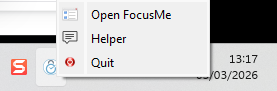
FocusMe in the system tray
- Choose your theme — pick Light or Dark. You can change this later in Settings.
- Quick Setup — a three-step setup that asks what you’re fighting and how strict to be, then builds a plan for each problem you picked. Click Start blocking to finish (it reads Save plans if you switched every plan off), or Skip setup if you’d rather start from the Plan Library or build a plan yourself. Its last step also lets you sign in, with the account created when you signed up for the free trial or the one that holds your licence.
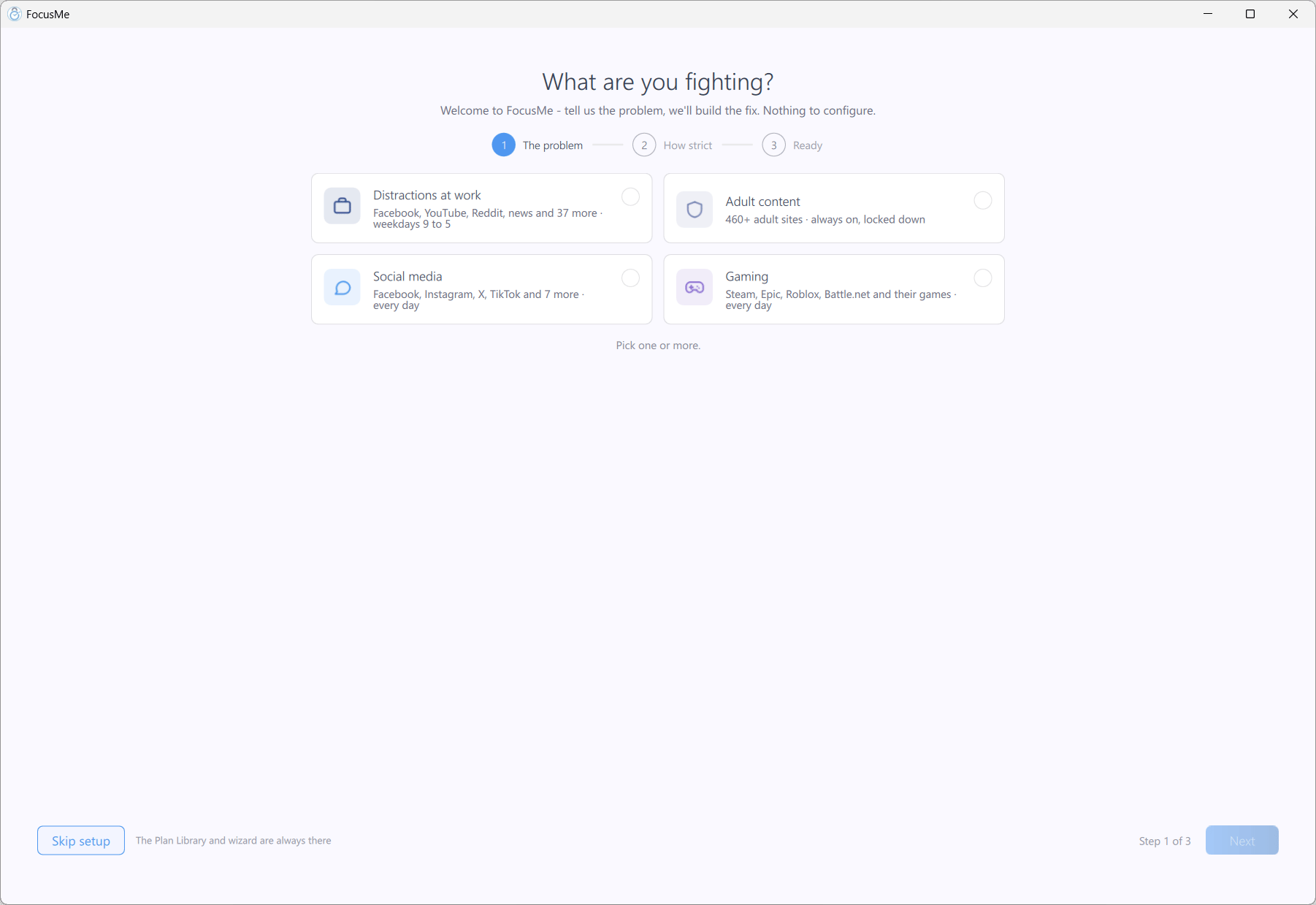
Quick Setup builds your first plans from two questions