

Before You Start
- Stop and disable every plan. FocusMe cannot be quit — and on most platforms cannot be uninstalled — while any plan is enabled. If a plan has Random or Enforced stop protection you will need to complete its challenge, wait for it to expire, or use Assisted Stop.
- Turn off the uninstall protections in Settings → System (see below). These can only be changed when no plans are enabled.
- Quit FocusMe from the tray or menu-bar icon (Quit).
Settings that block uninstalling
Windows
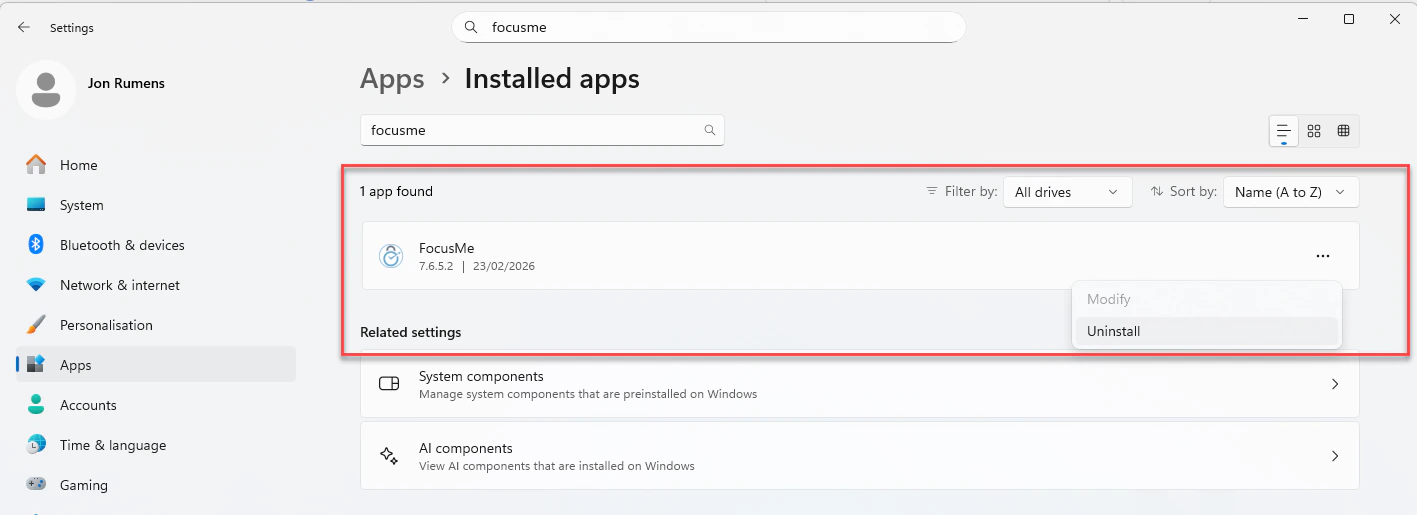
Uninstalling FocusMe from Windows Settings
- Open Settings → Apps → Installed apps
- Search for FocusMe
- Click Uninstall and follow the prompts
uninstall.exe from the FocusMe installation folder (C:\Program Files\FocusMe for the standard installer; the per-user folder for the non-admin installer).
If you enabled the Extra Protection Service, disable it in Settings → System first so that nothing tries to relaunch FocusMe during the uninstall.
macOS
- Turn off Protect Uninstall in Settings → System (only possible when no plans are enabled) — while it is on, macOS will not let you move the app to the Trash
- Quit FocusMe from the menu-bar icon
- Open Finder → Applications and drag FocusMe to the Trash
- Empty the Trash
Linux
Turn off Protect Uninstall in Settings → System first (only possible when no plans are enabled). Then uninstall with the same installer file you used to install, which removes the app, the background service, the autostart and menu entries and the browser connection files:After Uninstalling
Uninstalling removes:- The FocusMe application and its background service or watcher
- Auto-start entries
- Desktop shortcuts and Start Menu / application menu entries
- Your settings and plan data on the computer — they are picked up again if you reinstall
- Your plans, tasks and activity stored in your FocusMe account
- The browser addon — remove it from your browser’s extensions page
- Your FocusMe account, licence or subscription — see Manage Your Account