

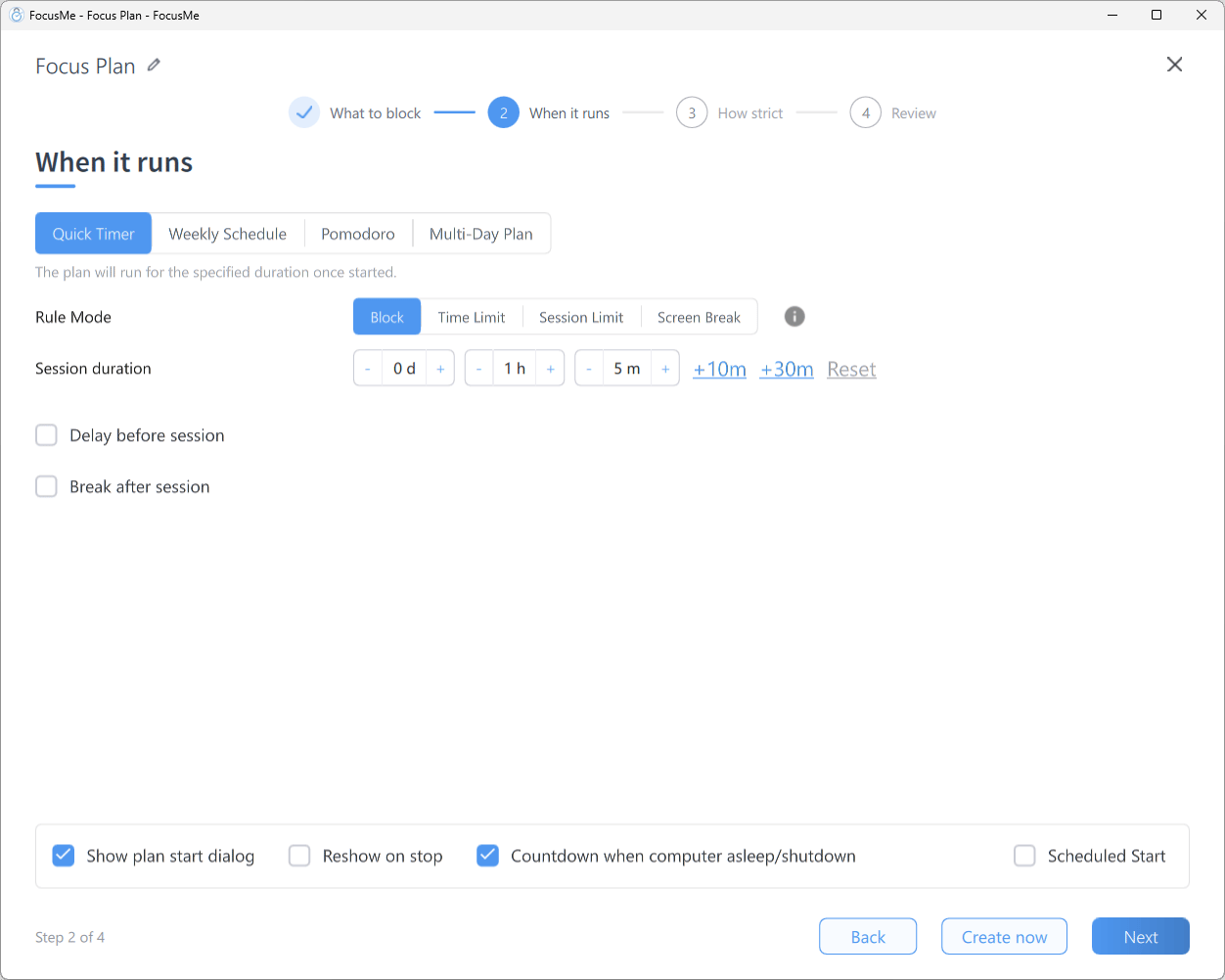
Step 2 When it runs, with Quick Timer selected
The start dialog and the floating timer refer to a running Quick Timer as a session.
Quick Timer
Start the plan yourself whenever you need to focus. It runs for a set duration, then stops automatically. Settings on Step 2:- Rule Mode — Block, Time Limit, Session Limit or Screen Break for the whole session.
- Session duration — day, hour and minute steppers, with +10m, +30m and Reset buttons.
- Delay before session — a countdown before blocking begins (for example five minutes to finish what you’re doing). The plan sits on standby during the delay.
- Break after session — lock the screen for a break when the session ends, lasting the length you set.
- Show plan start dialog — show the start dialog each time you press play so you can adjust the duration; with it on, Reshow on stop reopens the dialog when the session ends so you can start another straight away.
- Countdown when computer asleep/shutdown — keep the timer running while the computer is asleep or off, instead of pausing it.
- Scheduled Start — tick the days on which the plan should start automatically.
The start dialog
When you press play on a Quick Timer with Show plan start dialog enabled, FocusMe asks how long to run: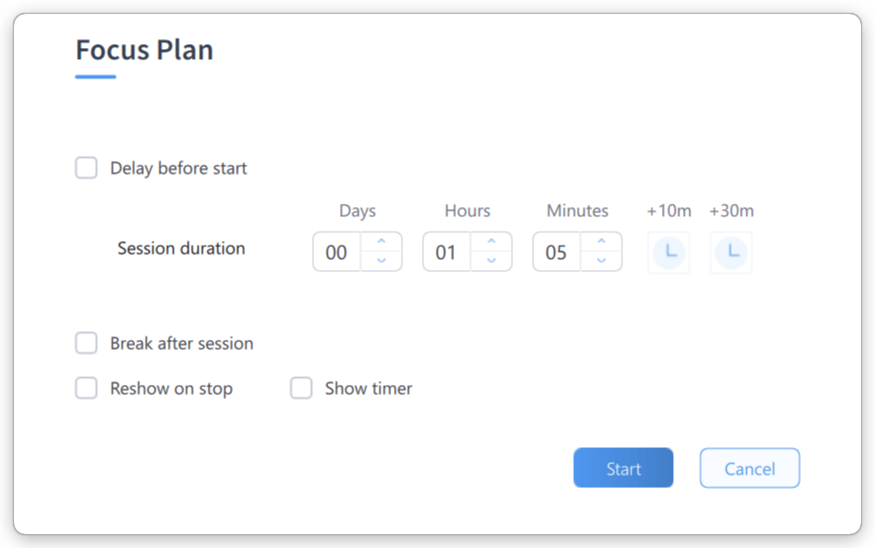
The Quick Timer start dialog
- Delay before start — hours and minutes before blocking begins.
- Session duration — days, hours and minutes, plus +10m / +30m and Reset.
- Break after session — the break to lock the screen for when the session ends.
- Reshow on stop and Show timer (the floating timer window).
Extend Time
Need longer? Right-click the running plan and choose Extend Time. The start dialog opens again with an Apply button: set a longer session (or break) and click Apply.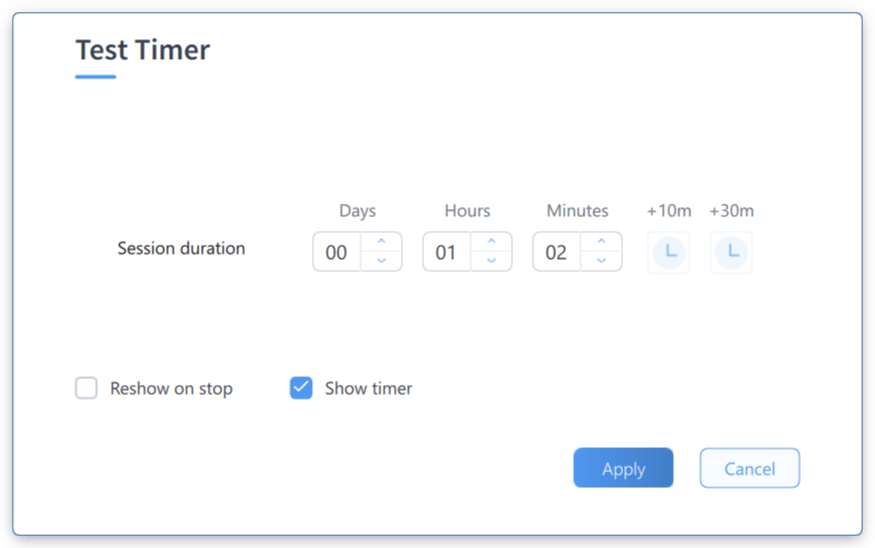
The Extend Time dialog
Weekly Schedule
A recurring timetable — put your focus on autopilot. The plan activates and deactivates by itself every week.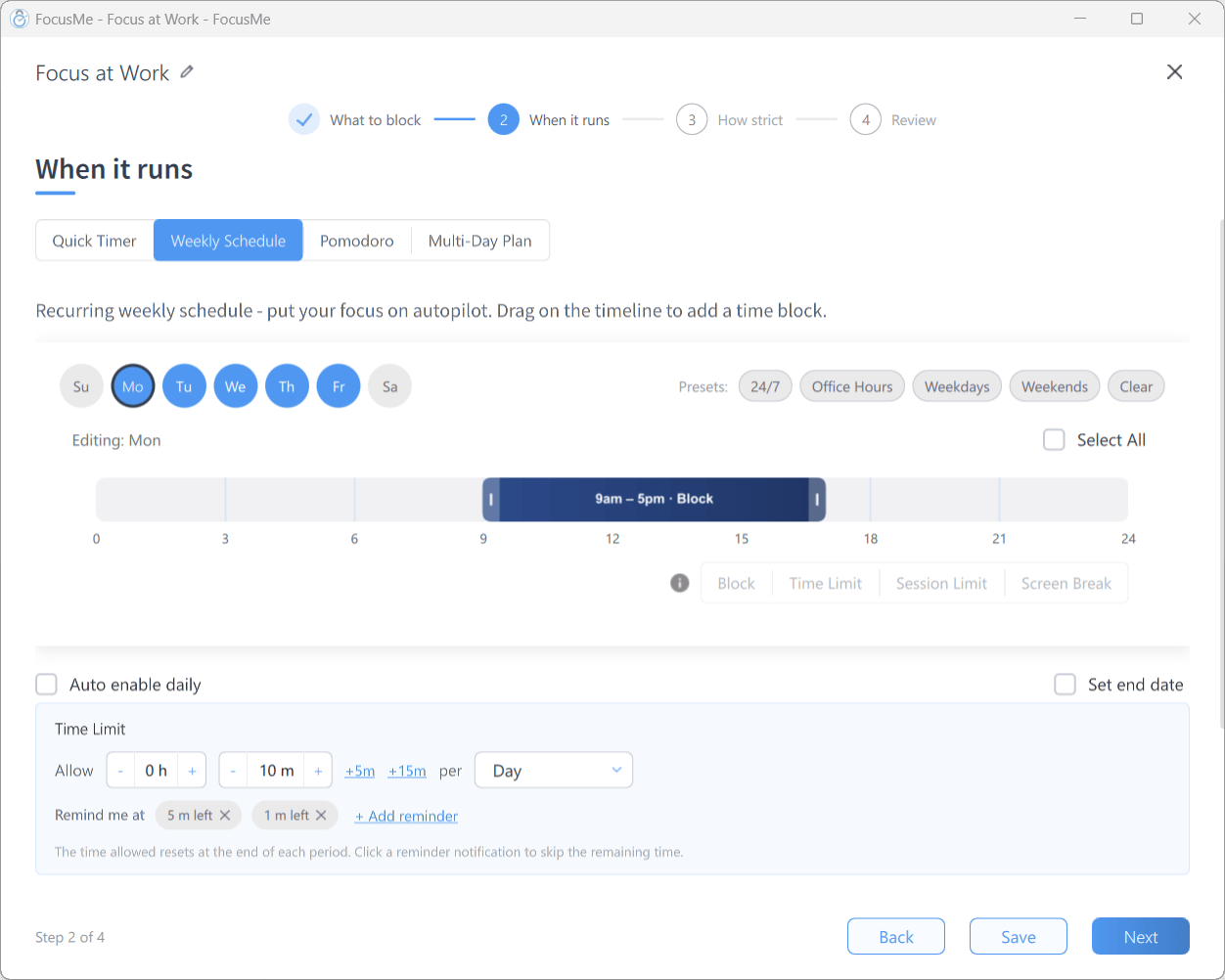
Step 2 with Weekly Schedule: day pills, preset chips and the timeline
- Day pills — click a day to edit it. Select several days (or Select All) to edit them together; the header reads Editing: Mon, Tue… (changes apply to all selected days). If the selected days already have different timetables, a Different Schedules dialog asks which one to keep for all of them.
- Presets: chips — 24/7, Office Hours, Weekdays, Weekends and Clear fill in common timetables in one click.
- Timeline — drag on the timeline to add a time block; drag its edges to adjust it or use the start/end time boxes. Add as many intervals per day as you like, and give each one its own rule mode with the Block / Time Limit / Session Limit / Screen Break control — see One plan, multiple modes.
- Auto enable daily — re-enable the plan automatically each day, so stopping it only stops it for today.
- Set end date — tick it and pick a date; the plan expires after that day. Recommended for any plan with strong protection and a 24/7 timetable.
Pomodoro
Structured work/break cycles based on the Pomodoro Technique: focus on your work for a period of time, then take a break, and repeat. Pomodoro plans always Block during focus periods.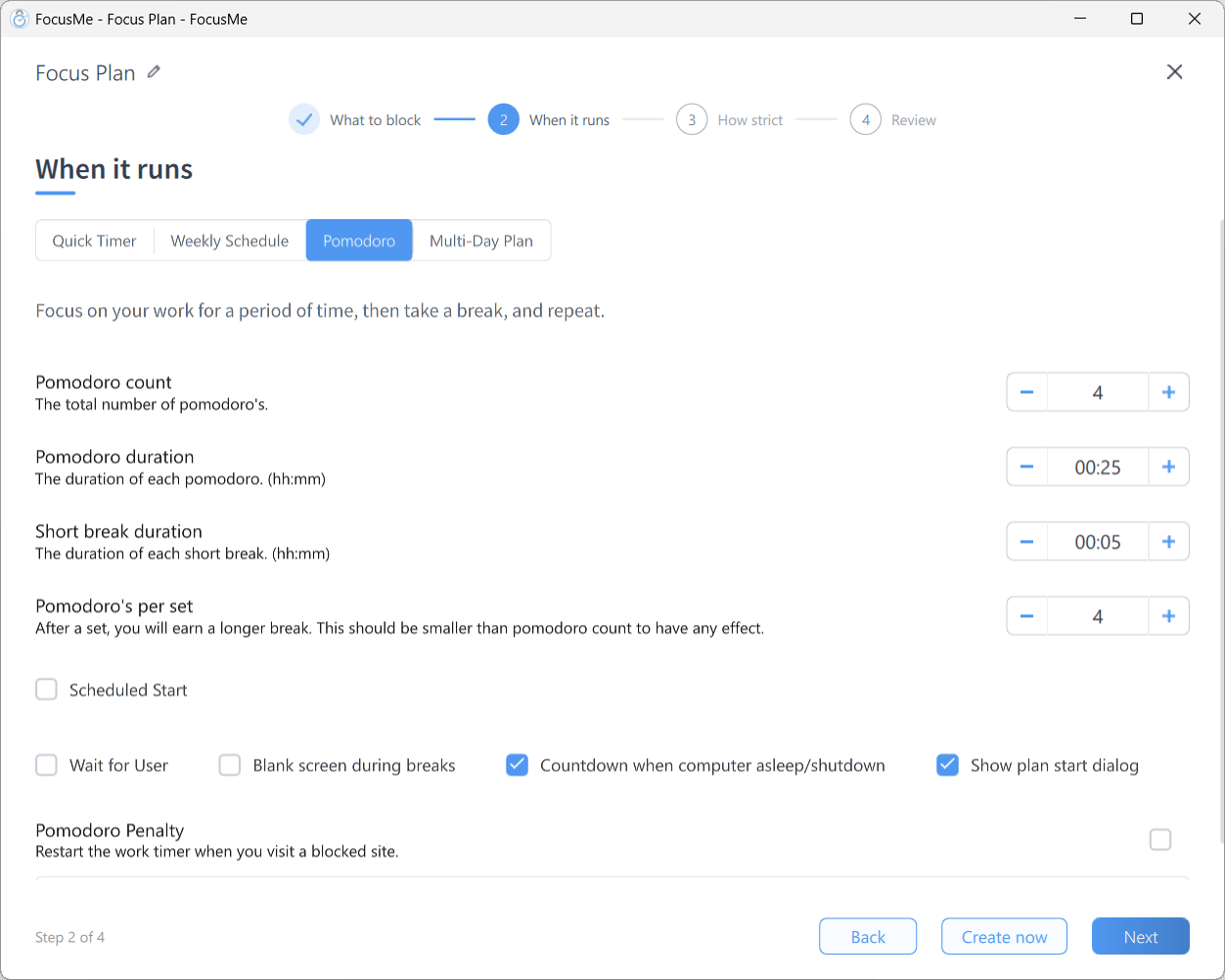
Step 2 with Pomodoro selected
The start dialog
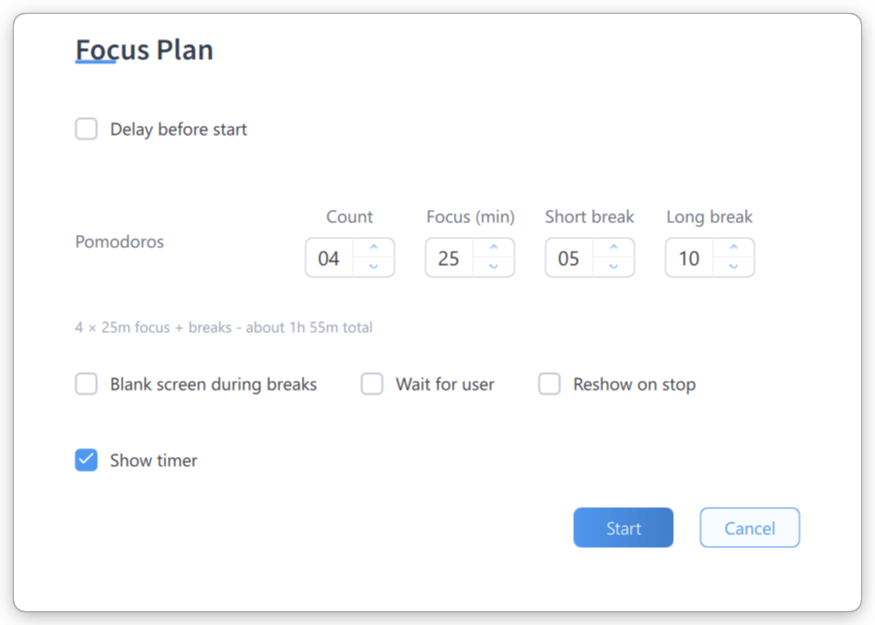
The Pomodoro start dialog
Multi-Day Plan
A sequence of days, each with its own timetable. Day 1 is the day you start the plan, and it advances through the days automatically.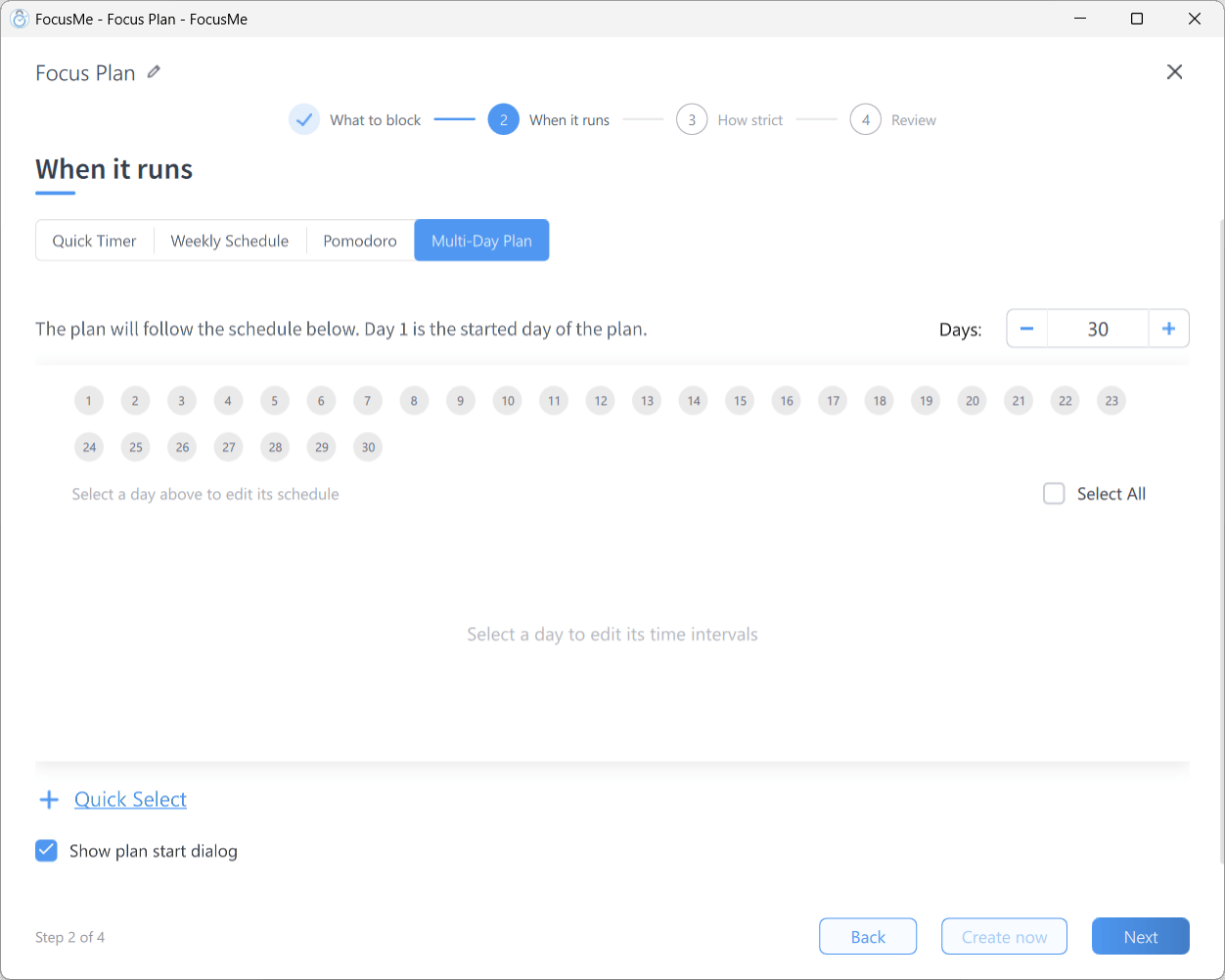
Step 2 with Multi-Day Plan selected — the Days pills and Quick Select
- Days: — how many days the sequence lasts.
- Numbered day pills — click a day to edit its timeline, exactly as on a Weekly Schedule, including a rule mode per interval. Select several days to edit them together (Editing: Day 1, Day 2… (changes apply to all selected)); a Different Schedules dialog appears if they don’t match.
- Quick Select — Select All, Unselect All, Invert Selection, Odd days, Even days, Select Non-empty, Custom (enter an Active sequence and Skip sequence pattern) and Clear All.
- Show plan start dialog — show the start dialog when you press play.
The start dialog
The dialog summarises the run (30 days · Day 1 starts today, Runs until …) and offers Delay before start, Start part-way through the sequence… with Start at day pills, Reshow on stop and Show timer. Examples: a 30-day digital detox with gradually longer blocked hours · a revision plan with a different timetable for each day · a programme that eases restrictions as habits form. Best for: progressive challenges, programmes with varying daily schedules, time-limited experiments.Choosing the Right Schedule
Combining Schedules
You can run several plans at once, so layer them:- a Weekly Schedule for baseline work-hour blocking (Mon–Fri, 9–5)
- a Pomodoro plan for structured deep-work sprints within those hours
- a Quick Timer for ad-hoc evening focus when you need it