

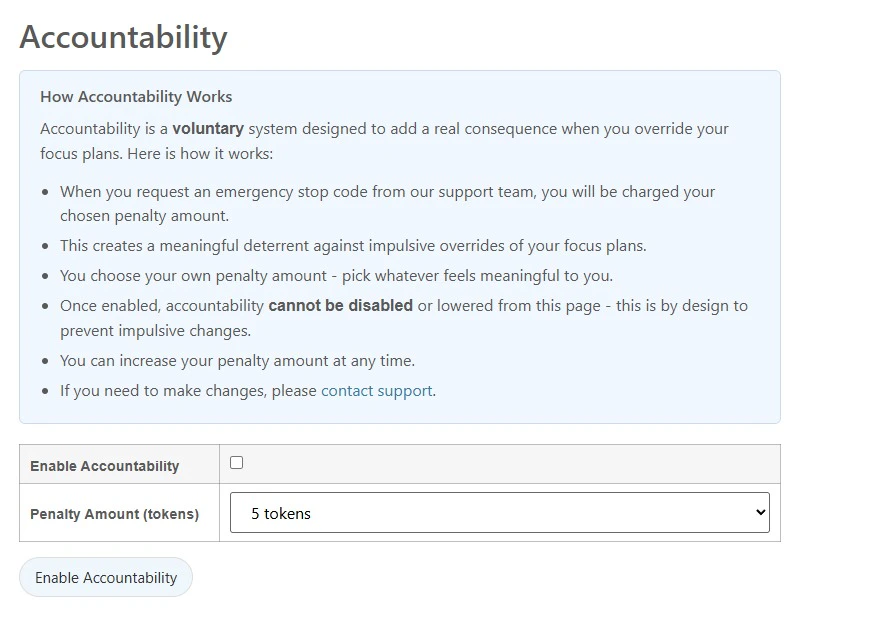
How It Works
- You choose a penalty amount that feels meaningful to you
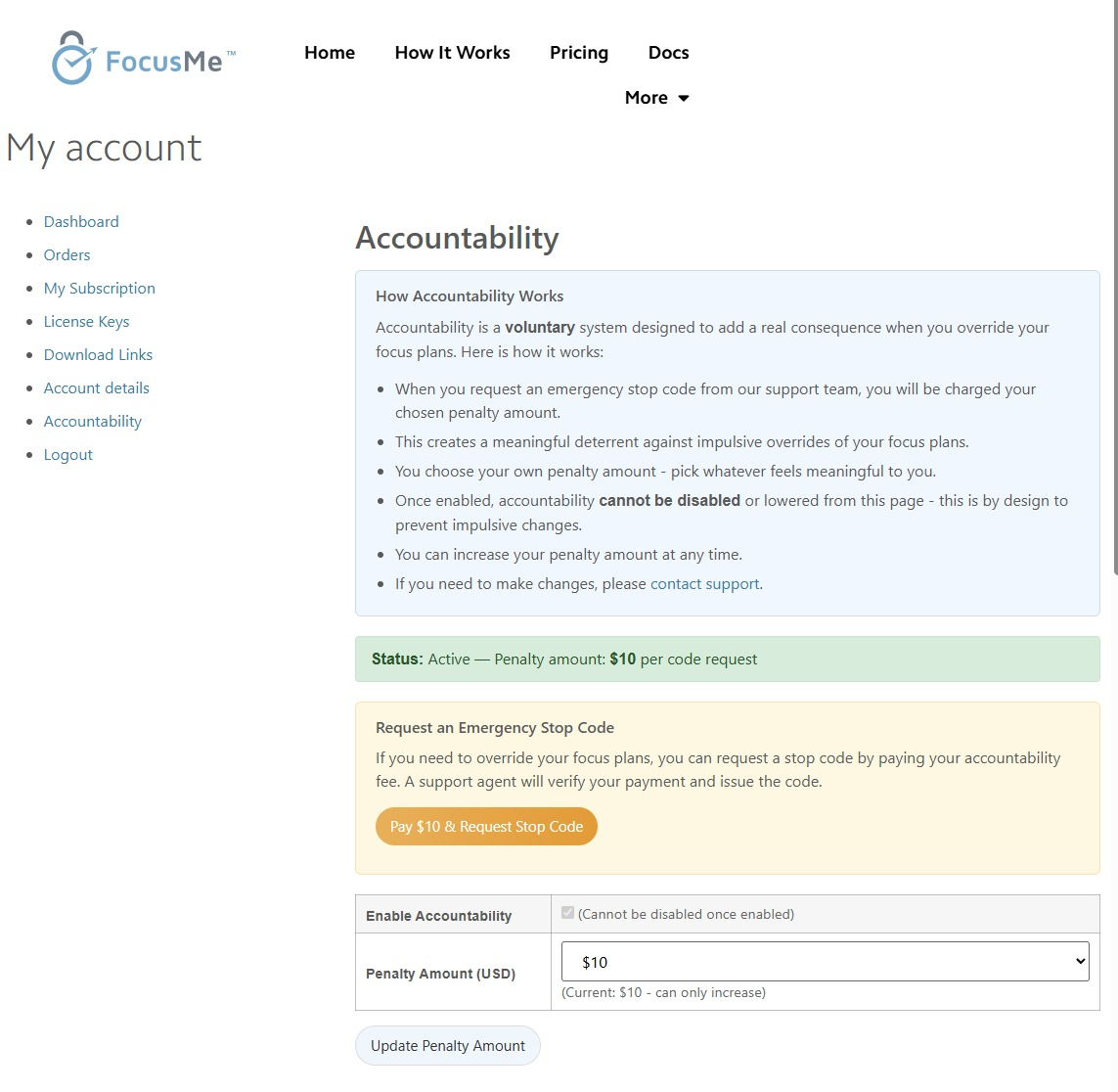
- When you request an emergency stop code from FocusMe support, you are charged your chosen penalty amount
- A support agent will verify your payment and issue the code
Setting Up Accountability
- Log in to your FocusMe account
- Navigate to the Accountability tab
- Click Enable Accountability
- Choose your penalty amount - pick whatever feels meaningful enough to make you reconsider
Important Rules
- Cannot be disabled or lowered from the account page. This is by design - it prevents you from impulsively removing the consequence when temptation strikes.
- You can increase your penalty amount at any time.
- Contact support if you need to make changes to your accountability settings.
Accountability is entirely voluntary. It is an opt-in system for people who want an extra layer of commitment beyond what plan protection alone provides.
When Are You Charged?
You are only charged when you request an emergency stop code. Normal plan usage, including stopping unprotected plans or entering a correct password, does not incur any charge. The penalty applies specifically to emergency overrides of Enforced or heavily protected plans.Tips
- Start with a moderate amount. You can always increase it later. The goal is to make the penalty meaningful enough to deter impulse, not to be punitive.
- Combine with Enforced protection. Accountability is most effective when paired with Enforced mode — the stop code becomes the only way out, and now it costs you.
- Think of it as a commitment device. Research shows that people are more likely to follow through on goals when there is a tangible cost to breaking them.