> ## Documentation Index
> Fetch the complete documentation index at: https://docs.focusme.com/llms.txt
> Use this file to discover all available pages before exploring further.
# Enforce Screen Breaks
> Protect your eyes and energy with automatic enforced breaks.
Staring at a screen for hours damages your eyes, posture, and energy. FocusMe's Screen Breaks rule forces you to step away at regular intervals.
## Setup
1. **Add a Plan** → choose **Screen Breaks** as the plan type
2. Screen Breaks always apply to the **entire computer** (not specific apps)
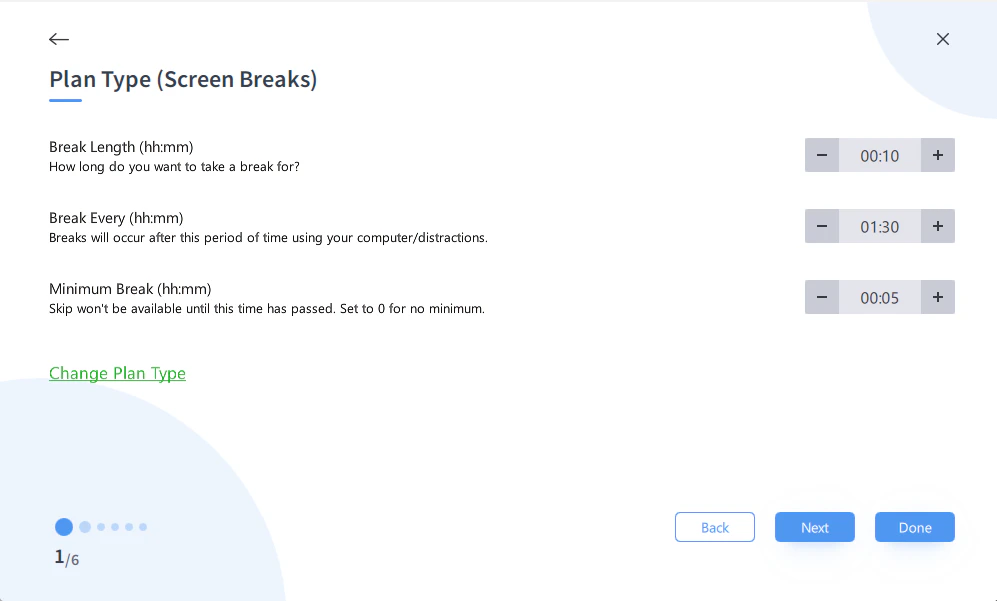
3. Configure:
* **Work duration:** How long before a break is enforced (e.g., 45 minutes)
* **Break duration:** How long the break lasts (e.g., 5 minutes)
4. Set your schedule (e.g., Weekly Schedule for work hours)
5. Optionally set a **minimum break time** — the break cannot be skipped until this time has elapsed, even if skip is allowed
6. Add protection if you want to prevent skipping breaks
 ## What Happens During a Break
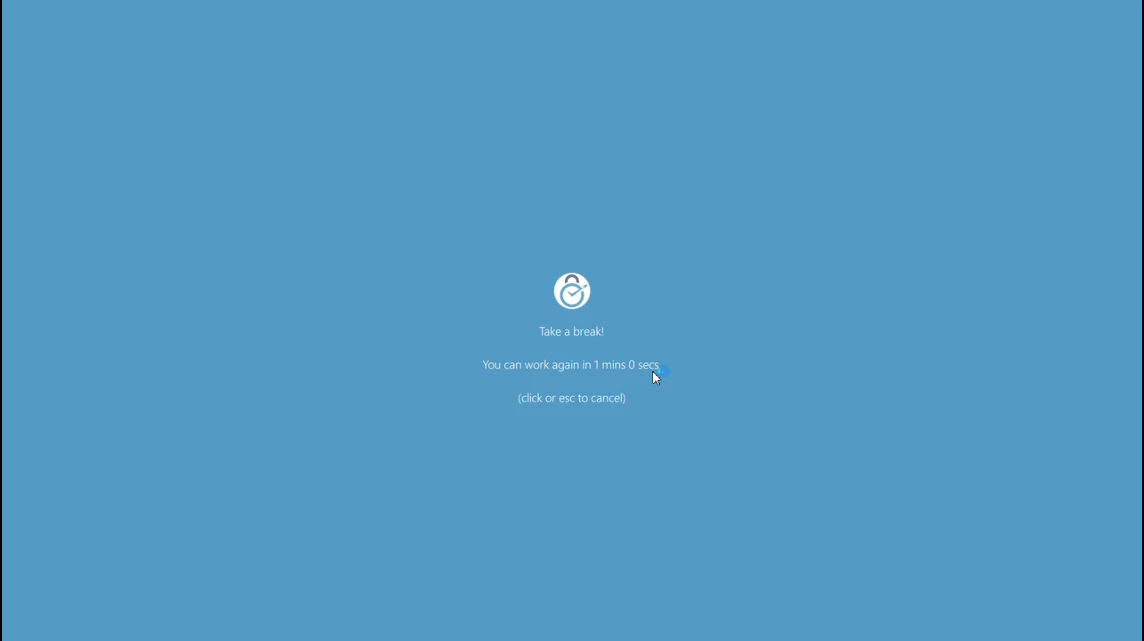 * Your screen locks temporarily
* All applications continue running in the background
* A timer shows how long until the break ends
* When the break ends, your screen unlocks and everything is exactly as you left it
## Recommended Configurations
| Style | Work | Break | For |
| ------------------ | ------ | ------ | ------------------------------------------- |
| **20-20-20 Rule** | 20 min | 20 sec | Eye health (look at something 20 feet away) |
| **Standard** | 45 min | 5 min | General desk workers |
| **Intensive** | 25 min | 5 min | Matches Pomodoro rhythm |
| **Extended focus** | 90 min | 15 min | Deep work sessions |
The 20-20-20 rule (every 20 minutes, look at something 20 feet away for 20 seconds) is recommended by eye doctors. Use a 20-minute work duration with a very short break.
## Combining with Other Plans
Screen Breaks work independently of other plans. You can run:
* A social media block (Block, Weekly Schedule)
* Screen Breaks every 45 minutes (separate plan)
Both run simultaneously without interfering with each other.
* Your screen locks temporarily
* All applications continue running in the background
* A timer shows how long until the break ends
* When the break ends, your screen unlocks and everything is exactly as you left it
## Recommended Configurations
| Style | Work | Break | For |
| ------------------ | ------ | ------ | ------------------------------------------- |
| **20-20-20 Rule** | 20 min | 20 sec | Eye health (look at something 20 feet away) |
| **Standard** | 45 min | 5 min | General desk workers |
| **Intensive** | 25 min | 5 min | Matches Pomodoro rhythm |
| **Extended focus** | 90 min | 15 min | Deep work sessions |
The 20-20-20 rule (every 20 minutes, look at something 20 feet away for 20 seconds) is recommended by eye doctors. Use a 20-minute work duration with a very short break.
## Combining with Other Plans
Screen Breaks work independently of other plans. You can run:
* A social media block (Block, Weekly Schedule)
* Screen Breaks every 45 minutes (separate plan)
Both run simultaneously without interfering with each other.