> ## Documentation Index
> Fetch the complete documentation index at: https://docs.focusme.com/llms.txt
> Use this file to discover all available pages before exploring further.
# Use the Plan Library
> Browse and import pre-built plan templates, or share your own plans with the community.
The Plan Library provides ready-made plan templates so you don't have to build everything from scratch. Browse templates for common use cases and import them with a single click.
## Accessing the Library
1. Open the **Plans** tab
2. Click the **Library** button at the top of the plans list
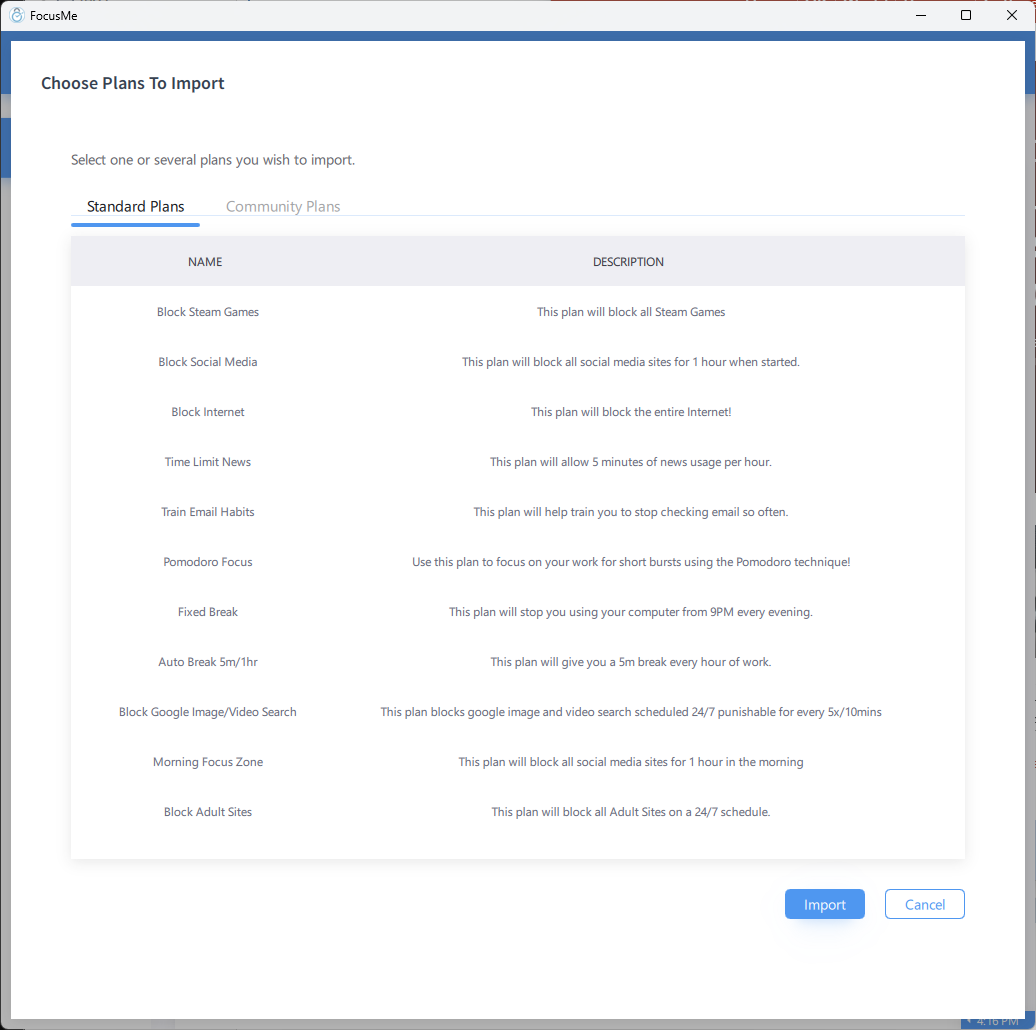 ## Standard Plans
The **Standard Plans** tab contains templates created by the FocusMe team. These cover common scenarios:
* Social media blocking during work hours
* Screen break schedules for eye health
* Pomodoro work/break cycles
* Evening wind-down plans
* Study focus plans
Each template shows a description of what it does and how it's configured.
## Community Plans
The **Community Plans** tab contains templates shared by other FocusMe users. These offer creative configurations you might not have thought of.
Community plans are reviewed before being published to ensure quality and usefulness.
## Importing a Template
1. Browse the library and find a template you want to use
2. Click the template to view its details
3. Click **Import** to add it to your plans
4. The plan appears in your Plans list — review and adjust settings as needed
5. Click **Start** when you're ready to activate it
Imported templates are fully editable. Use them as a starting point and customise the targets, schedule, and protection to fit your needs.
## Submitting Your Plans
You can share your own plans with the community:
1. You must be **logged in** to your FocusMe account
2. Right-click a plan and select **Submit to Library**
3. Add a description explaining what the plan does and who it's for
4. Submit for review
Once approved, your plan appears in the Community Plans tab for other users to import.
Only the plan configuration is shared — not your personal data, usage statistics, or account information.
## Standard Plans
The **Standard Plans** tab contains templates created by the FocusMe team. These cover common scenarios:
* Social media blocking during work hours
* Screen break schedules for eye health
* Pomodoro work/break cycles
* Evening wind-down plans
* Study focus plans
Each template shows a description of what it does and how it's configured.
## Community Plans
The **Community Plans** tab contains templates shared by other FocusMe users. These offer creative configurations you might not have thought of.
Community plans are reviewed before being published to ensure quality and usefulness.
## Importing a Template
1. Browse the library and find a template you want to use
2. Click the template to view its details
3. Click **Import** to add it to your plans
4. The plan appears in your Plans list — review and adjust settings as needed
5. Click **Start** when you're ready to activate it
Imported templates are fully editable. Use them as a starting point and customise the targets, schedule, and protection to fit your needs.
## Submitting Your Plans
You can share your own plans with the community:
1. You must be **logged in** to your FocusMe account
2. Right-click a plan and select **Submit to Library**
3. Add a description explaining what the plan does and who it's for
4. Submit for review
Once approved, your plan appears in the Community Plans tab for other users to import.
Only the plan configuration is shared — not your personal data, usage statistics, or account information.